english
16
SET UP VIDEO
Before setting-up, switch off all equipment.
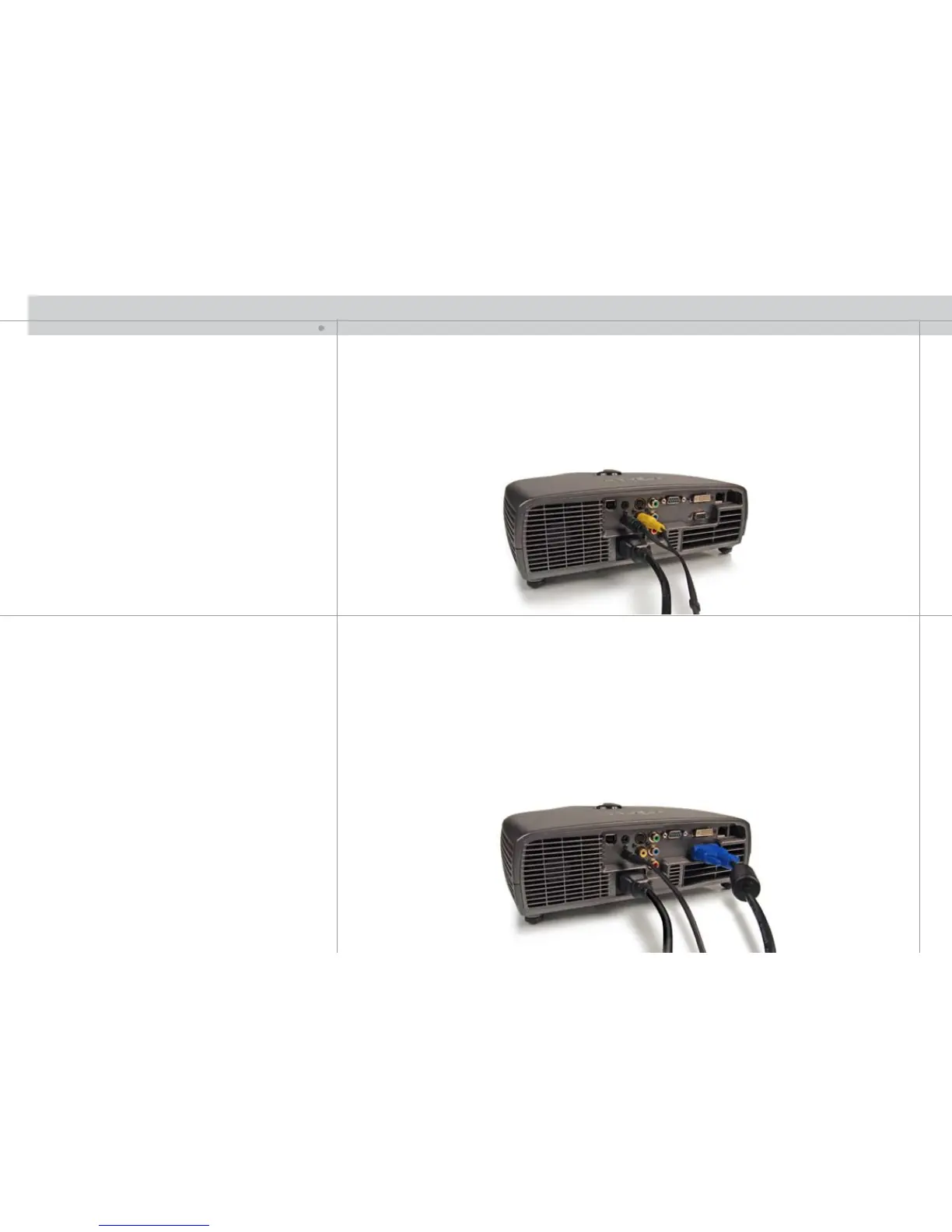
Three video sources may be connected, using the YPbPr (component), S-VIDEO
(super video) and C-VIDEO (composite video) inputs.
Component will display more detailed images. Composite video yields images with
less detail.
In addition, the DVI-D input can be used with video sources (DVD player fitted with an
HDCP™ compliant DVI or HDMI connector) for a pure digital connection.
Connect the power cord.
SETUP COMPUTER
Before setting-up, switch off all equipment.
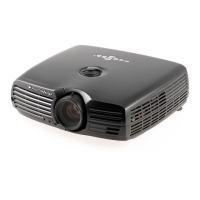
The projector may be connected to two computer sources simultaneously, using the
VGA and DVI inputs.
The VGA interface is analog and may cause some noise in the projected image,
depending on the signal quality from the graphics card in the computer.
The DVI (Digital Visual Interface) interface is all-digital and will yield a projected image
with very low noise.
Connect the RS232 or LAN interface to allow for control of the projector.
Connect the USB interface to enable mouse emulation.
Connect the power cord.
SET UP
J


 To Next Page