english
17
Position the projector on a level surface, preferably pointing straight on to the projection
screen. Place it at a suitable distance within the throw range of the zoom lens.
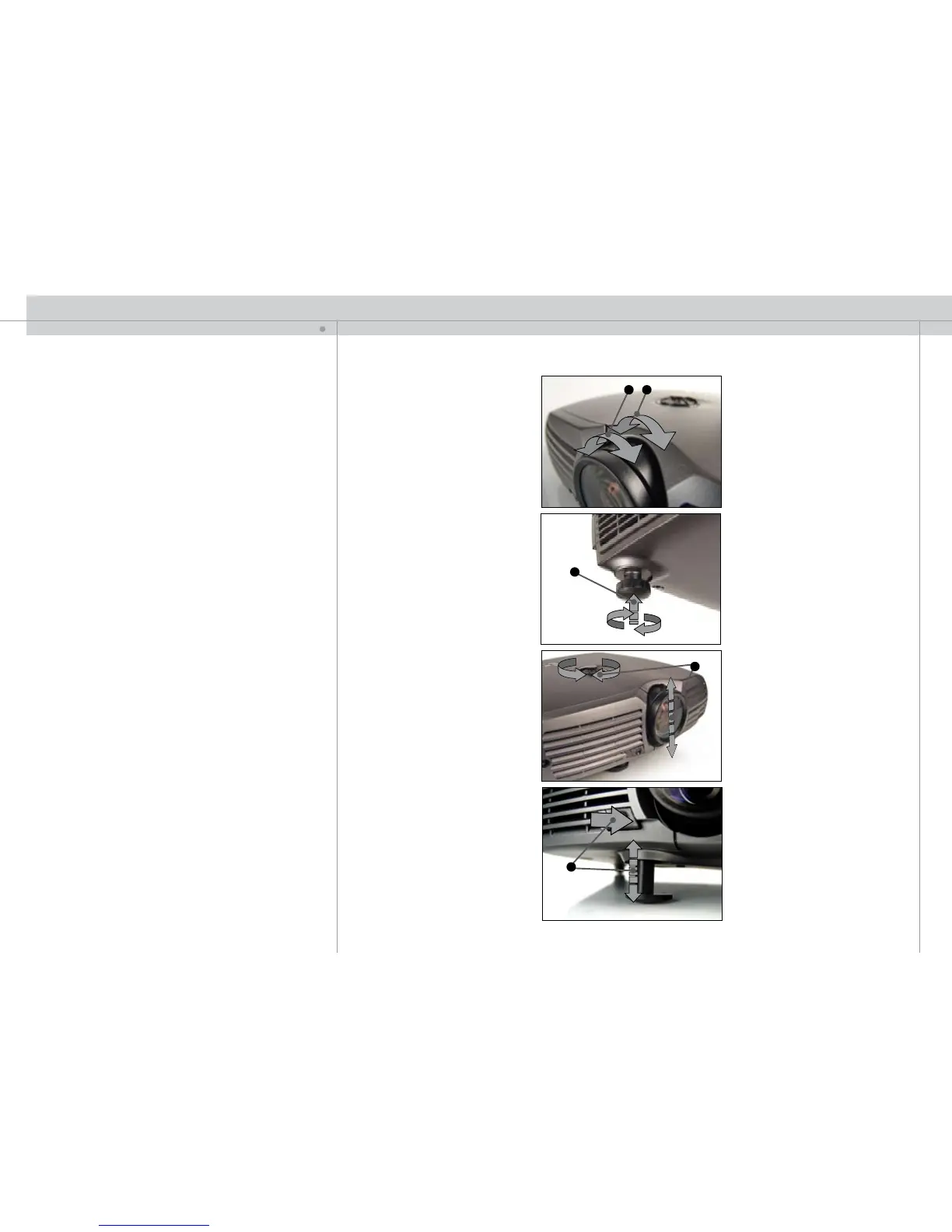
A ZOOM the image for the right size. Reposition the projector if the desired image
size is not achievable.
B
FOCUS the image properly.
C
Level the image by adjusting the rear feet.
D To adjust the image vertically on the screen, turn the vertical adjustment knob on
top of the unit.
E
In addition you may release the front foot.
If the front foot is ejected, you may compensate for the ‘keystone’ effect by pressing the
‘KST’ key on the keypad and adjust with the arrow keys.
IMAGE ADJUSTMENTS
K
AB
E
D
C


 To Next Page