english
23
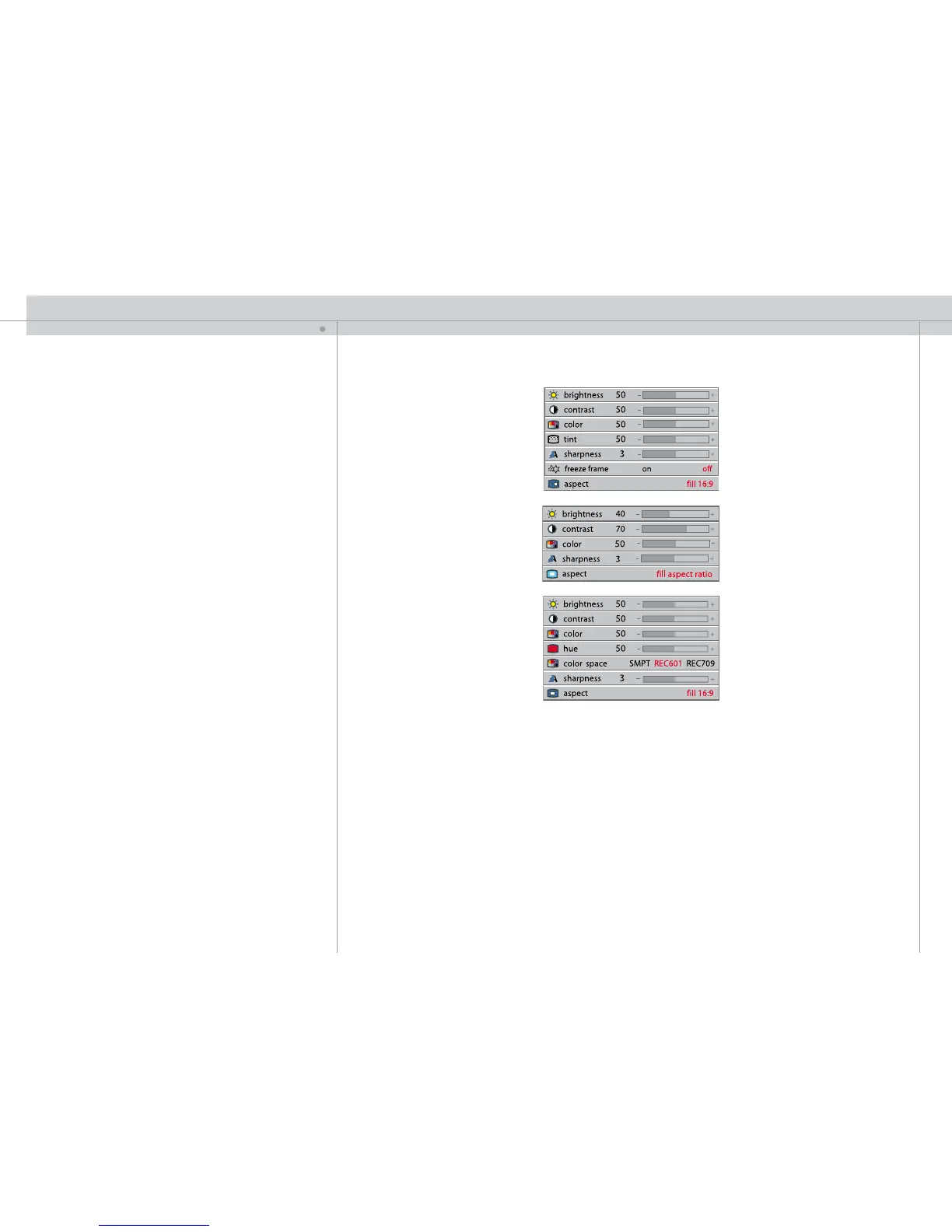
PICTURE SUB MENU
brightness
Adjusts the image brightness. A higher setting will increase the brightness, a lower
setting will decrease the brightness of the image.
contrast
Controls the contrast of the image. A higher setting will yield a ‘harder’ image with larger
difference between shades, while a low setting will produce a ‘softer’ image with less
difference between shades.
color
Adjusts the color saturation. A higher setting will produce stronger coloring, while a
lower setting will yield paler colors.
tint
Adjusts the NTSC color tint. Applicable to NTSC (American) video standard only. A
higher setting will yield a more reddish color scheme, while a lower setting will turn
colors more greenish.
hue
Controls the color hue.
sharpness
Controls the image sharpness. A higher setting will yield a harder image, with less
filtering. In video applications, this may produce more noise in the projected image. A
lower setting will soften the image, looking more smeared out, and reducing the overall
noise.
still
freezes the image displayed.
aspect
Selects image format. An image may be displayed in various aspect ratios. This function
is used when displaying source formats that differ from the projectors native display
format.
space
Defines the color standard used for component video so that the image is displayed with
the proper characteristics.



 To Next Page