english
25
ADVANCED SUB MENU
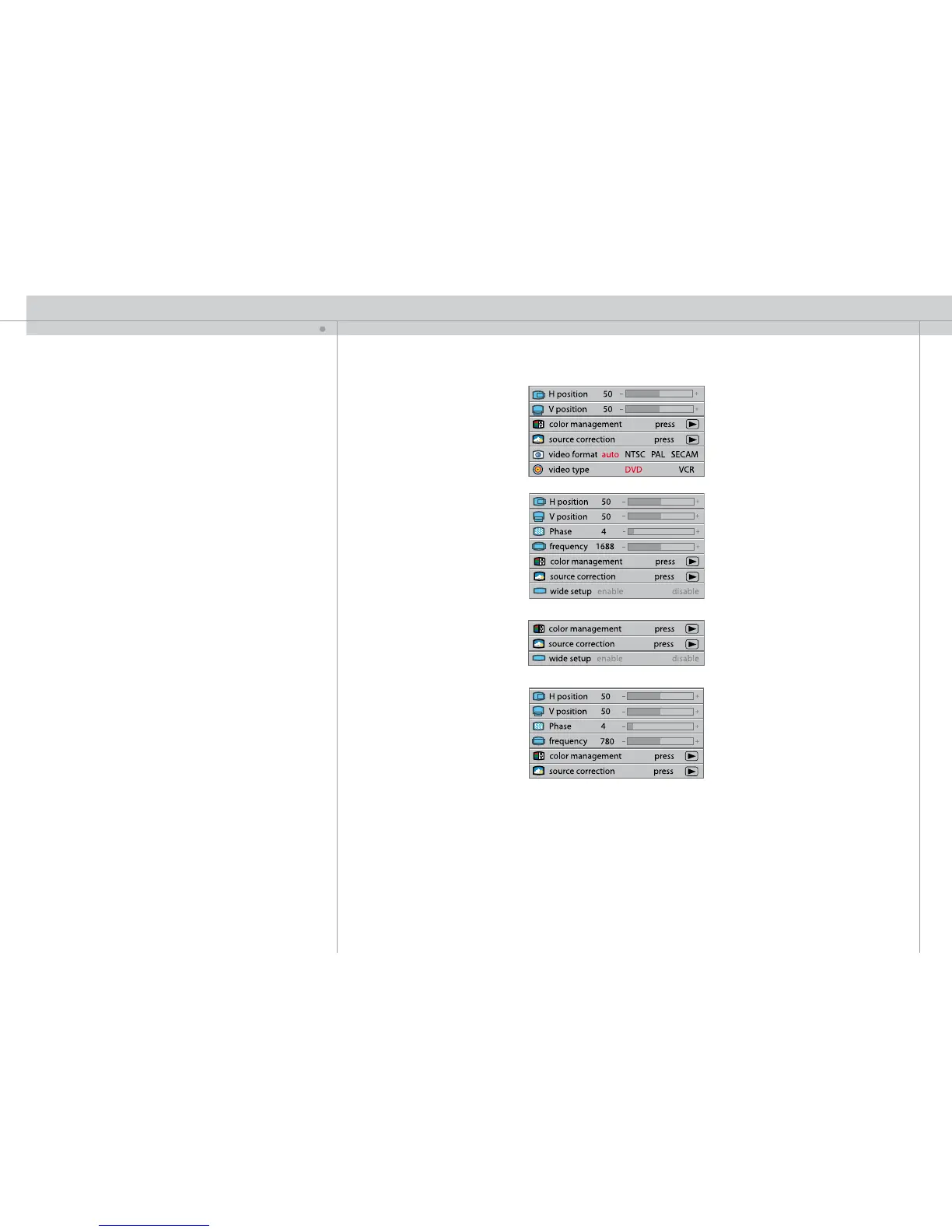
h position
Shifts the image sideways.
v position
Shifts the image up and down.
phase
Adjust for stable image. A jittery image may appear with certain VGA sources. You may
also press the AUTO button on the keypad or remote control to optimize
.
frequency
Adjust image width. An incorrect setting may produce vertical, unstable bands in
the image, and parts of the image may not be displayed on screen. Push the AUTO
button to find a correct setting, or manually adjust the frequency until the vertical bands
disappear.
S-VIDEO / C-VIDEO / YPbPr (interlaced)
VGA
DVI
YPbPr (progressive)
MENU SYSTEM


 To Next Page