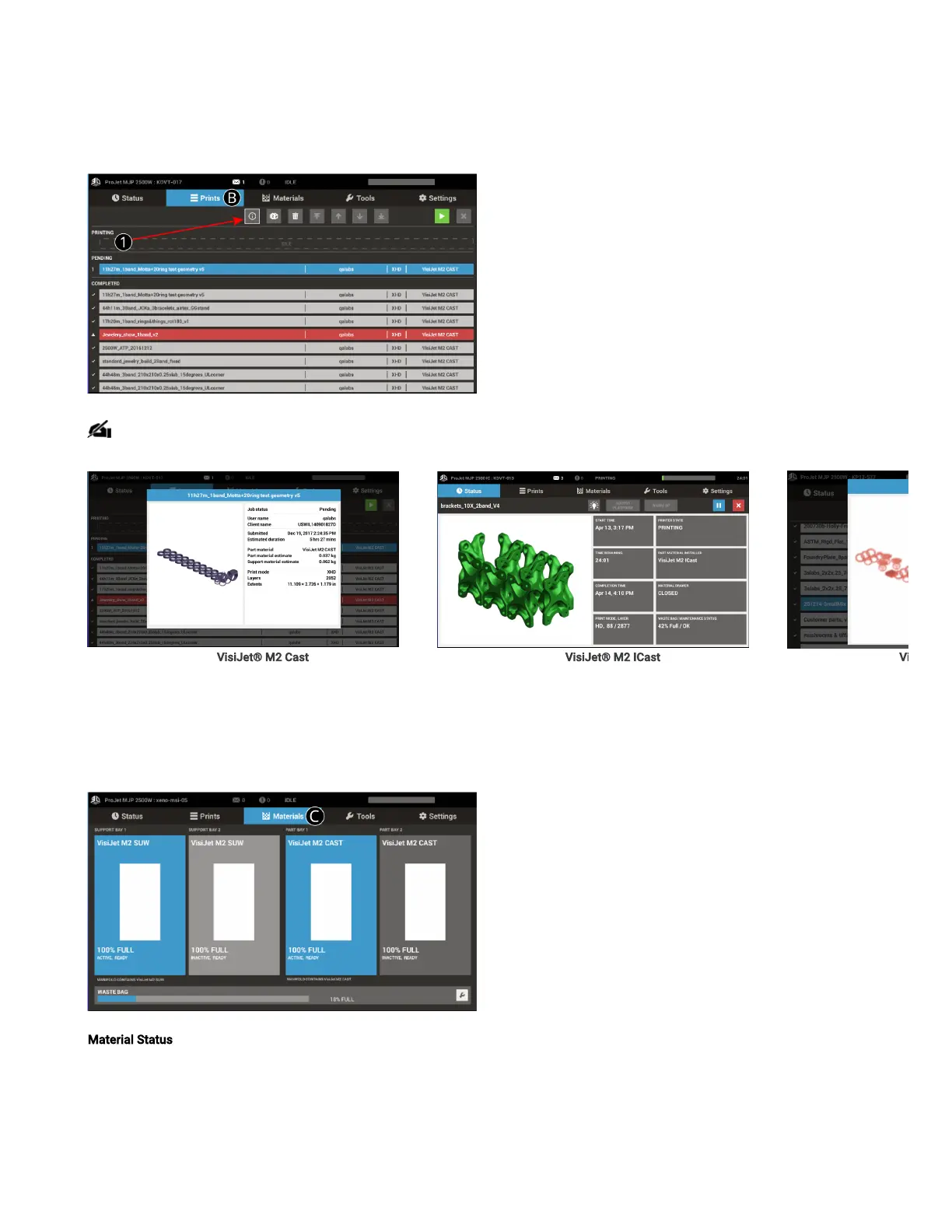
Prints Tab (B)
Second Tab on the UI.
1. Opens up the Print Queue to manage the print queue of jobs for the printer.
NOTE: Clicking on the Info button brings up print job information; reorder jobs in queue using the arrow buttons.
VisiJet® M2 Cast VisiJet® M2 ICast Vi
Materials Tab (C)
Displays information about the Part and Support materials loaded in the printer.
Material Status -Displays the level of material in both the Support and Part Cartridges.



 To Next Page