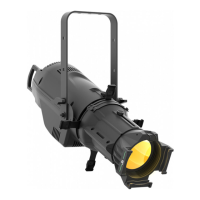
PROLIGHTS - EclProfile CT+
15
Master Static
Dimmer 000 ÷ 255
Select the dimmer value of the
selected white point.
White Point
Colour
Temperature
2800 K
3000 K
3200 K
3400 K
3600 K
3800 K
4000 K
4200 K
4400 K
4600 K
4800 K
5000 K
5200 K
5400 K
5600 K
6000 K
6500 K
7000 K
8000 K
9000 K
10000 K
Select a predened White CCT output
from the list. After enabled this mode,
the unit will be automatically assigned
as Master.
Tint
-25 %
.. 0 % ..
25 %
Select the tint value of the selected
white point.
Preset Colour
Presets see
Colour Wheel
Select of the following predened color
combination and its Dimmer value.
After enabled this mode, the unit will
be automatically assigned as Master.
Manual
Colour
Red
Amber
Mint
Green
Blue
Royal Blue
0 ÷ 255
0 ÷ 255
0 ÷ 255
0 ÷ 255
0 ÷ 255
0 ÷ 255
User generated color preset by as-
signing values to each primary color
attribute.
After enabled this mode, the unit will
be automatically assigned as Master.
Effect 1
Dimmer
Duration
Attack
Decay
0 ÷ 255
0.0 s ÷ 30.0 s
÷ 60.0 s
0 % ÷ 100 %
0 % ÷ 100 %
Edit and choose effect 1.
Effect 2
Dimmer
Duration
Attack
Decay
0 ÷ 255
0.0 s ÷ 30.0 s
÷ 60.0 s
0 % ÷ 100 %
0 % ÷ 100 %
Edit and choose effect 2
Effect 3
Dimmer
Duration
Attack
Decay
0 ÷ 255
0.0 s ÷ 30.0 s
÷ 60.0 s
0 % ÷ 100 %
0 % ÷ 100 %
Edit and choose effect 3
Slave Set the units to be slave.
5 INFORMA-
TION
Operating
Hours
Lamp Hours
Power Cycles
Power
Consumtion
LED
Temperature
Fan Speed
RDM Id
Version
View informations about product.
6 FACTORY
SETTINGS
Abort
Set Default
Values
To reset the unit to factory default
settings.
NOTE: If the projector is in Slave mode if the DMX signal is lost, the projector will remain on according
to the last received DMX value. If the projector was in STATIC or AUTO mode, if the DMX signal is lost,
the projector will return to the previously set STATIC or AUTO.


 To Next Page