
 Need help?
Do you have a question about the ProLights SMARTBAT and is the answer not in the manual?
Provides essential guidelines for safe operation and compliance with directives.
Outlines crucial safety measures for installation and usage to prevent damage or injury.
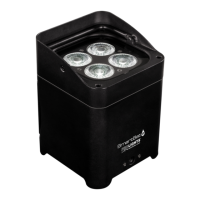
Introduces the SMARTBAT uplighter, its features, and capabilities.
Details the technical aspects of the SMARTBAT, including light source and electronics.
Identifies and explains the function of each physical control and connection port.
Guide to setting up and securing the SMARTBAT unit in various positions.
Explains how to switch the unit on and off for operation.
Details how to use the control panel buttons and display for basic settings.
Instructions for charging the internal battery and charging time.
Outlines the hierarchical menu system for accessing various functions and settings.
How to select and set up built-in automatic show programs.
Procedure for adjusting the playback speed of shows and effects.
Guide to customizing and setting static color configurations.
Instructions for setting sound-reactive modes and adjusting microphone sensitivity.
Steps to manually create custom colors by mixing RGBW components.
How to enable the IR receiver and use the remote controller.
How to link units using DMX cables for master/slave operation.
How to wirelessly link units for master/slave operation.
How to control the unit using the SmartColors mobile application.
Guide to controlling units wirelessly via the WIFIBOX.
How to select different dimmer curves for light output.
Instructions for chaining units and selecting DMX channel configurations.
Procedure for setting the DMX start address for controller communication.
Guide for connecting DMX cables and implementing signal termination.
Detailed mapping of DMX channels to functions and their value ranges.
Instructions for safely cleaning the unit's exterior and optical components.
Step-by-step instructions for replacing a blown fuse.
Summary of warranty terms, registration, and exclusions.
 General
| Beam Angle | 15° |
|---|---|
| Field Angle | 24° |
| LEDs life expectancy | 50, 000 hours |
| Control | DMX, IR Remote |
| IP Rating | IP20 |
| Recharge Time | 5 hours |

 To Next Page

