PRC2402M User Manual v1.1
Page 6 / 49
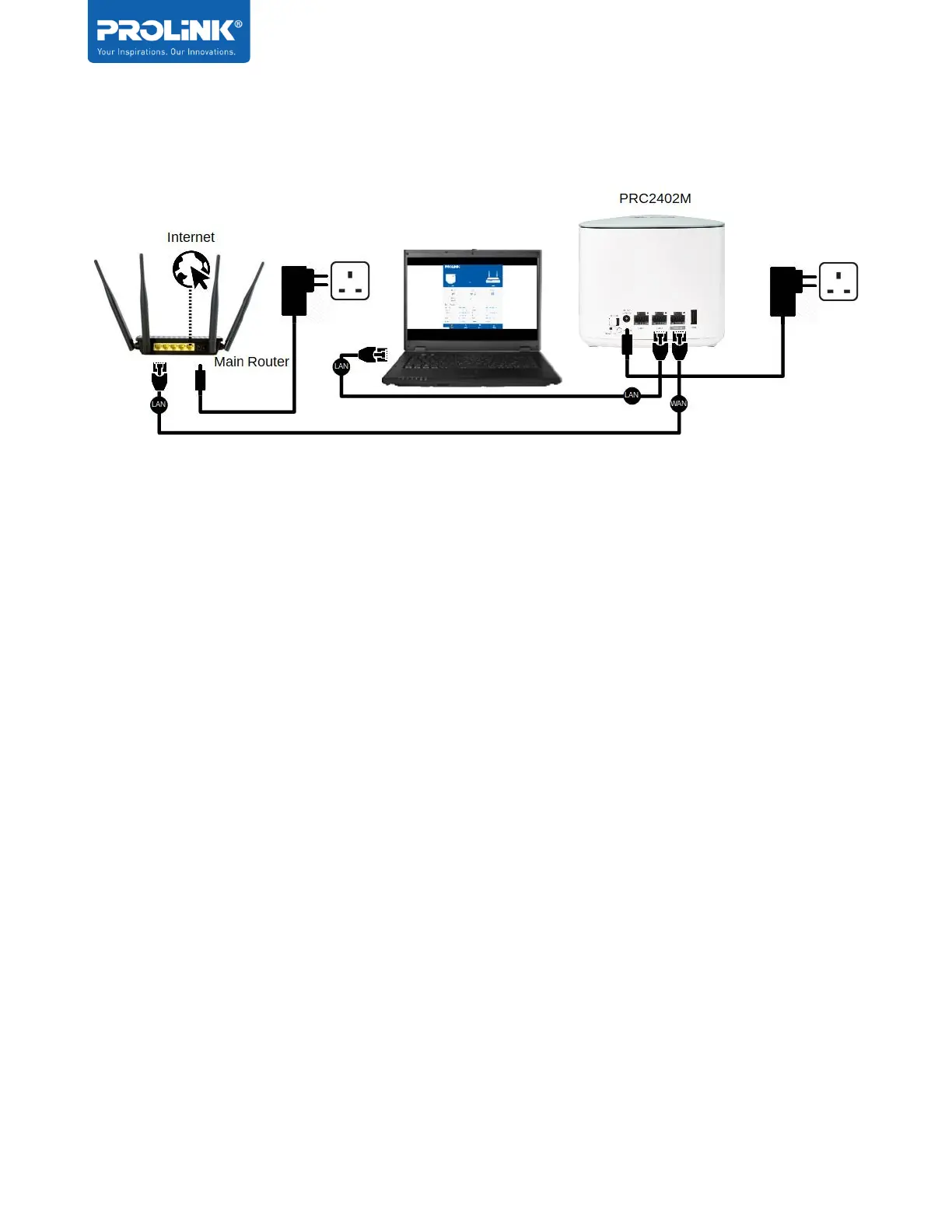
Example diagram for AP mode physical setup:
Step 1. Turn OFF Main Router/Existing Router
Step 2. Connect Ethernet cable between Main/Existing Router LAN ports to PRC2402M
WAN/LAN Port.
Step 3. Connect Ethernet cable between Computer LAN ports to PRC2402M LAN port.
Step 4. Turn ON power Main/Existing Router and PRC2402M Mesh Router. Please ensure
the power LED indicator is light up once turn-on. When the PRC2402M is ready to
set up, the LED indicator will Solid Blue


 To Next Page