PRC2402M User Manual v1.1
Page 22 / 49
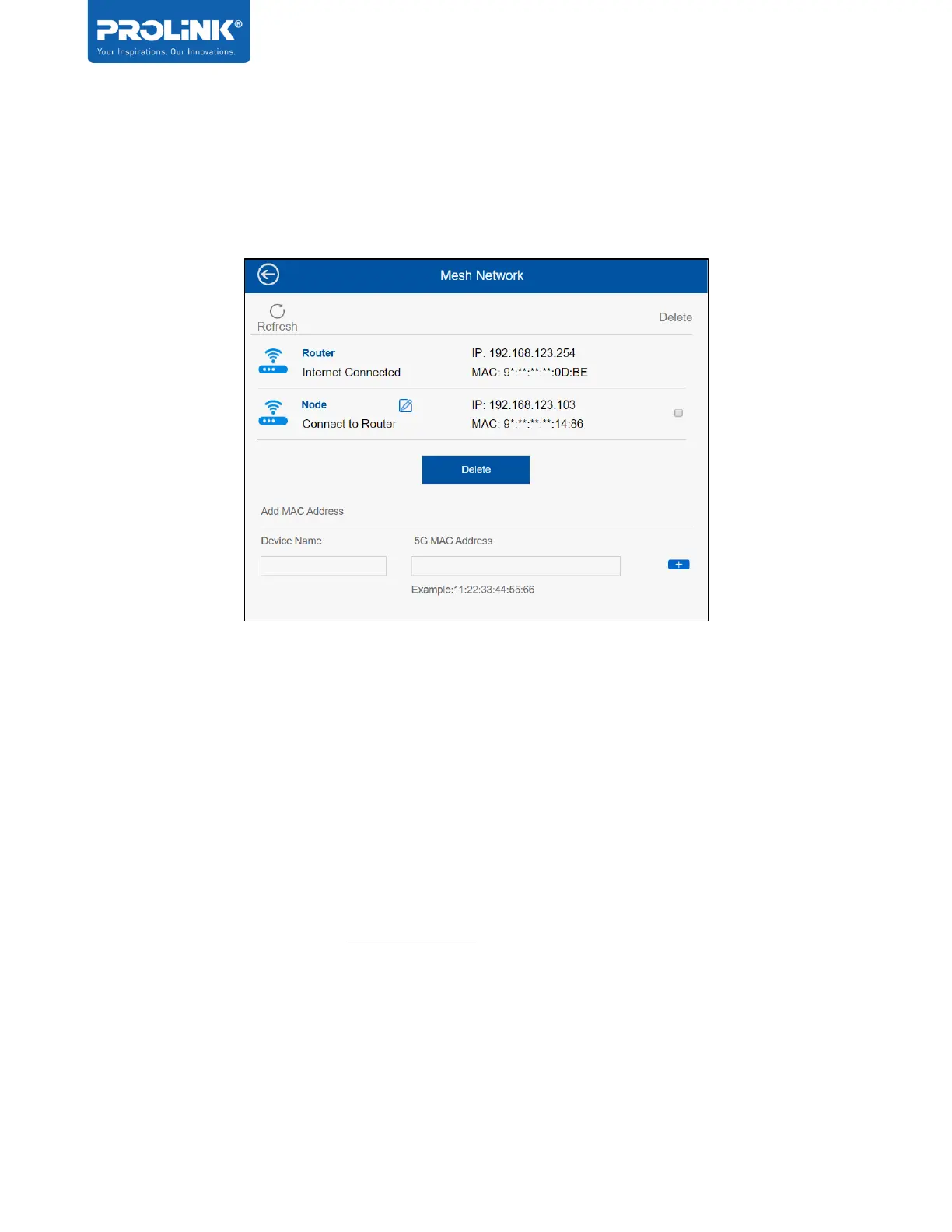
Mesh Network
On this option, user can manage by adding or delete the current Mesh Node and get the
information regarding the current status if the Mesh System/Network.
TouchLink
TM
TouchLink is patented with Touchlink technology, home owners or user only just need to tap
and connect to Wi-Fi without having to create additional passwords for guest-users.
Note:
• Touchlink is only operating at 2.4GHz Wi-Fi
• Although SSID with _Touch may show up as ‘No Security’, users will not be able to get
connected to it successfully unless there is an action of ‘tapping’ on the PRC2402M
touch sensor.
• From firmware version 1.0.17 onwards, users connected through TouchLink will be
isolated from users connected through main Wi-Fi SSID.


 To Next Page