PRC2402M User Manual v1.1
Page 20 / 49
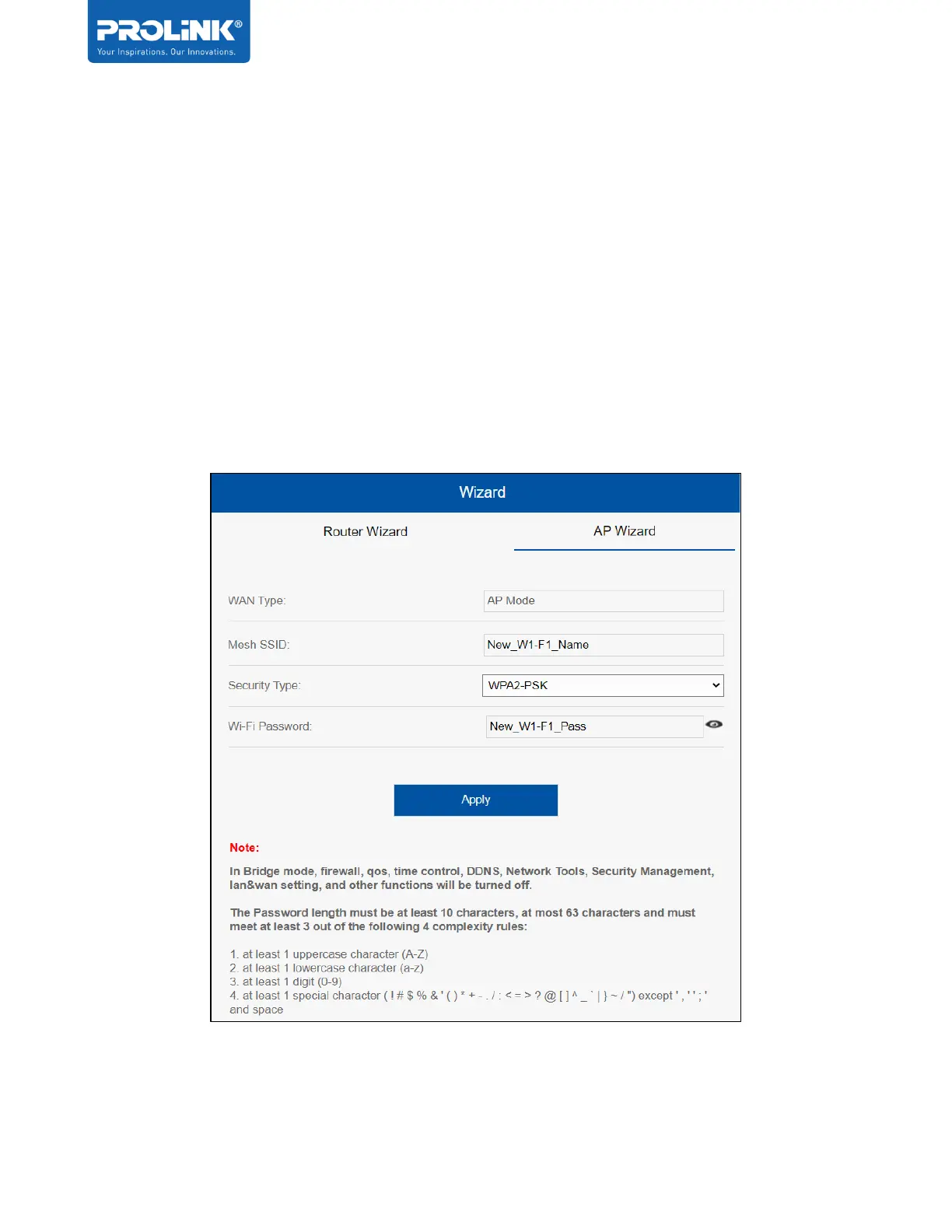
AP Wizard
The PRC2402M connect to your routers via WAN ports and extend the coverage of your current
network via LAN cable between main router and PRC2402M. Do note that Main router LAN is
to be connected to PRC2402M’s WAN port.
• In AP mode, there will be no Router feature (e.g. Port Forwarding) enabled on the
PRC2402M.
• User only can change Mesh Wi-Fi SSID and Security Type for the Wi-Fi. It is
recommended to set the Security type as WPA2-PSK and a more complex Wi-Fi
password.


 To Next Page