Need help?
Do you have a question about the PROLiNK Xtend PRO and is the answer not in the manual?
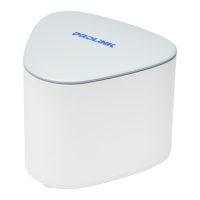
Key features of the PROLINK Xtend PRO Mesh Wi-Fi System.
Guidelines for optimal placement of mesh units to ensure strong signal strength.
Step-by-step guide to pairing a new mesh node using the physical button.
Guide to setting up a mesh node using the web browser interface.
Instructions for configuring the PRC2402M through its web-based graphical interface.
Wizard for configuring the PRC2402M in router mode.
Wizard for configuring the PRC2402M in access point mode.
Displays current connection information, device list, and device details.
Access to setup wizards for network configuration.
Configuration options for Wi-Fi settings.
Access to basic and advanced configuration settings.
Shows current operation mode and internet connectivity status.
Configure WAN and VLAN settings for internet connectivity.
Configure DHCP settings for IP address assignment.
View information about connected devices on the network.
Configure Quality of Service for managing network traffic.
Configure sharing of USB storage devices.
Configure Dynamic DNS service for remote access.
Access network utilities like NAT, DMZ, and UPnP.
Configure firewall and security settings.
Configure device time and time zone settings.
Control the status LED indicators on the router and nodes.
Change the administrative login password for the device.
Backup and restore device configuration settings.
Update the device firmware to the latest version.
 General
| Brand | PROLiNK |
|---|---|
| Model | Xtend PRO |
| Category | Network Hardware |
| Language | English |

 To Next Page