PRC2402M User Manual v1.1
Page 30 / 49
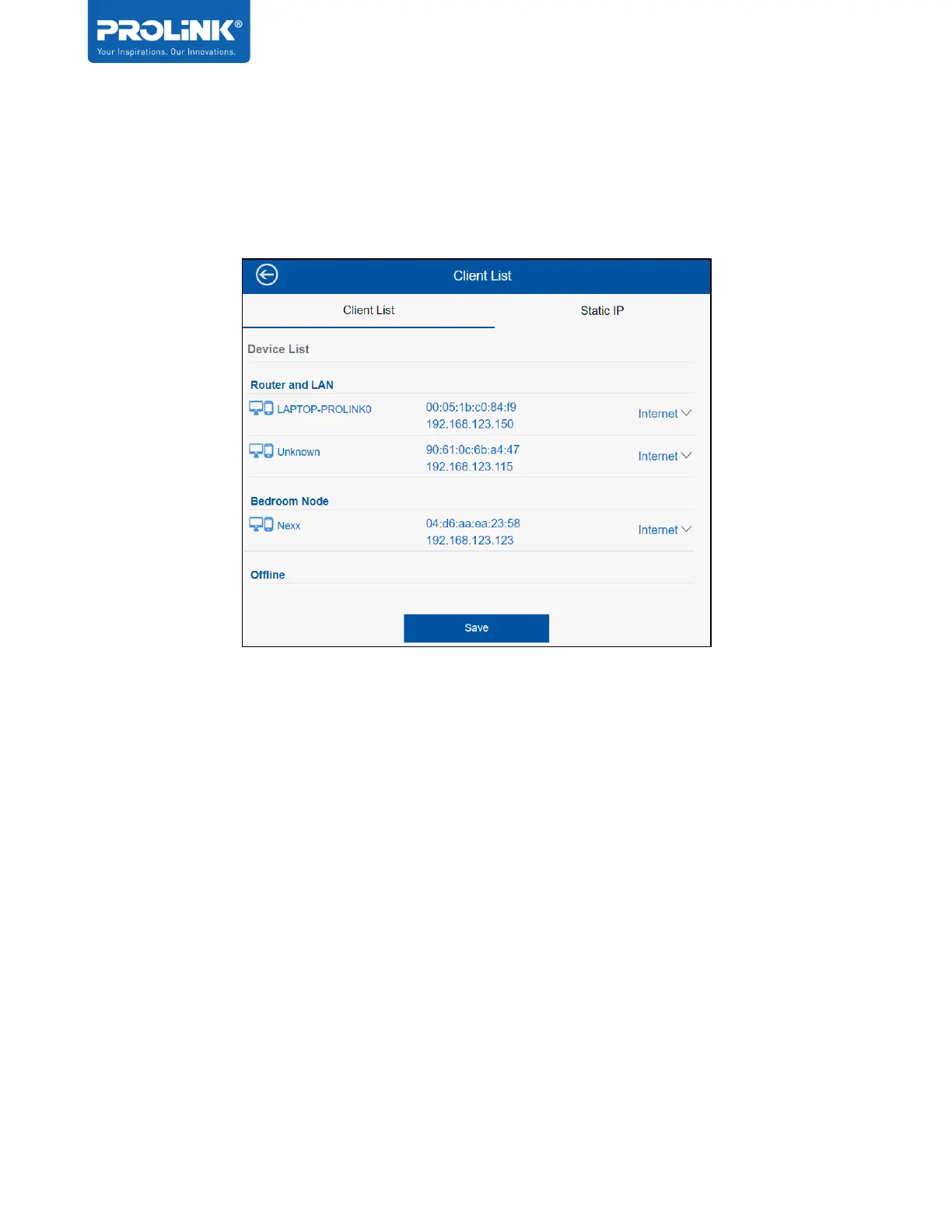
Client List
It will show the information of connected devices in the Mesh Network. The page load may take
slightly longer (approx. ~12 seconds) as it is polling information from the network.
User also can further set Internet blocking on respective of the device connected, or limit the
internet access through QoS Settings. Note that this is not available when the PRC2402M is
set to AP mode.


 To Next Page