PRC2402M User Manual v1.1
Page 21 / 49
Wi-Fi
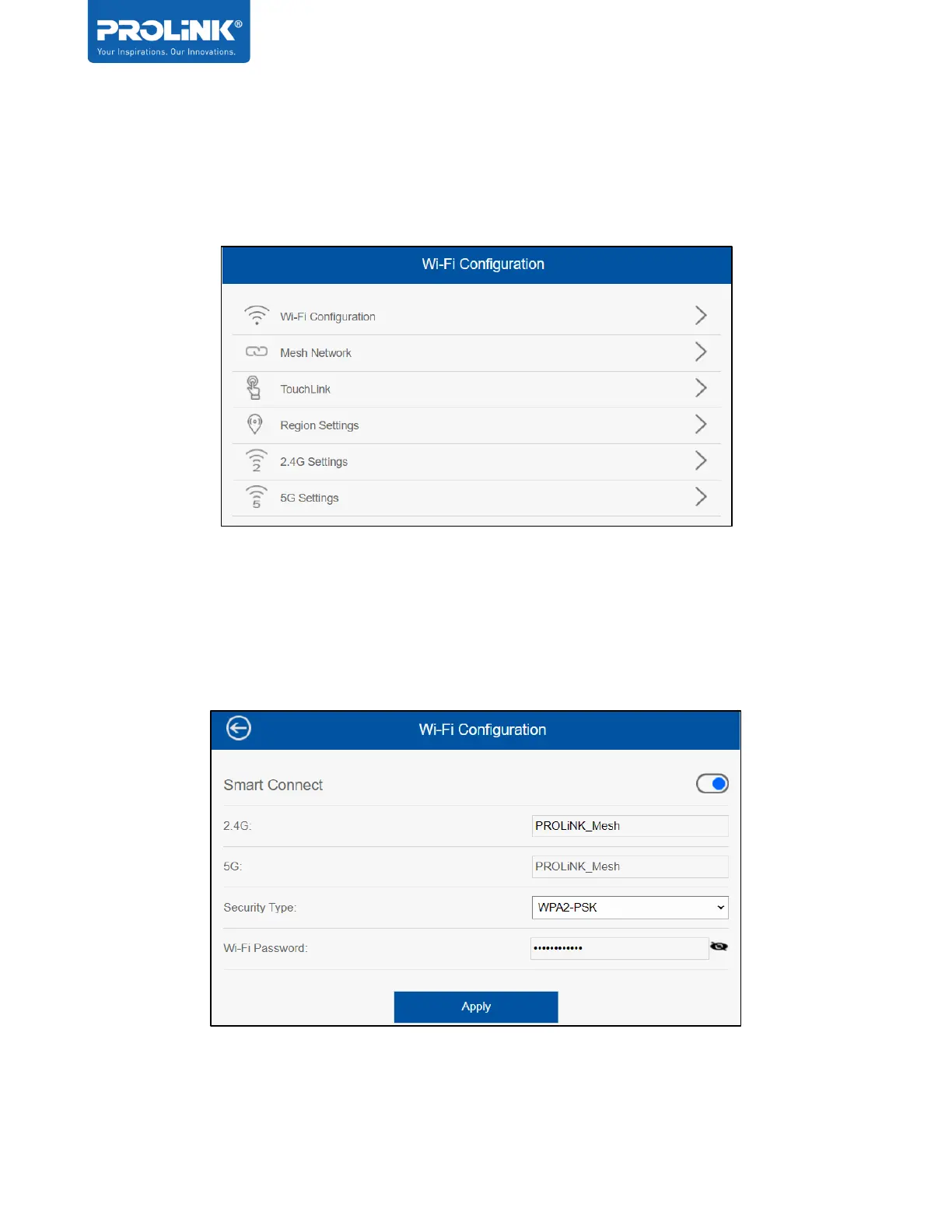
Wi-Fi tab is the tab for Wi-Fi Configuration. User can make a change to the Wi-Fi
Configuration, Mesh Network, TouchLink, Region Settings, 2.4G and 5G Wireless Settings.
Wi-Fi Configuration
On this settings user can enable / disable the Smart connect. By enabling the Smart Connect
feature, user can easily balance network demands on the wireless bands, giving you the highest
possible speed. Note that it is NOT recommended to disable this feature.


 To Next Page