PRC2402M User Manual v1.1
Page 24 / 49
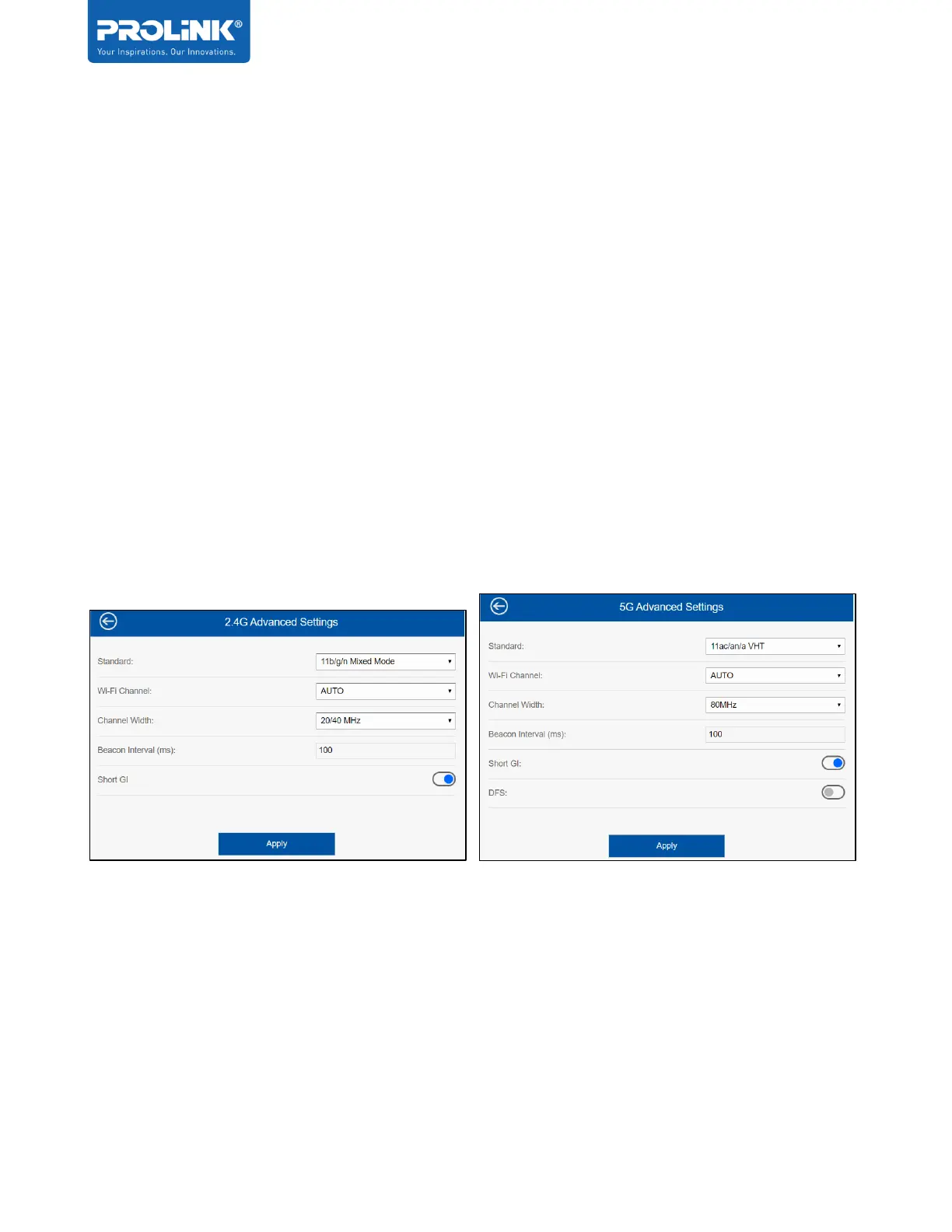
2.4GHz and 5GHz Wireless Settings
On this option, user can configure the wireless advance settings for 2.4GHz Wireless
connection and 5GHz Wireless connection.
The Settings that can be configured is:
• Wireless Standard – support all wireless standard 802.11 a/b/g/n/ac
• Wi-Fi Channel – can change the Wi-Fi channel, by default is set to AUTO
• Wi-Fi Channel Width – by default 2.4GHz is set to 20/40MHz and 5GHz is set to
80MHz
• Beacon Interval (ms) – The beacon interval is simply the frequency of the beacon –
how often the beacon is broadcast by the router. By default, is set of 100 milliseconds.
• Short GI – User can enable or disable, by default its enable
• DFS – Dynamic Frequency Selection, by default its disable


 To Next Page