PRC2402M User Manual v1.1
Page 26 / 49
Internet Setting
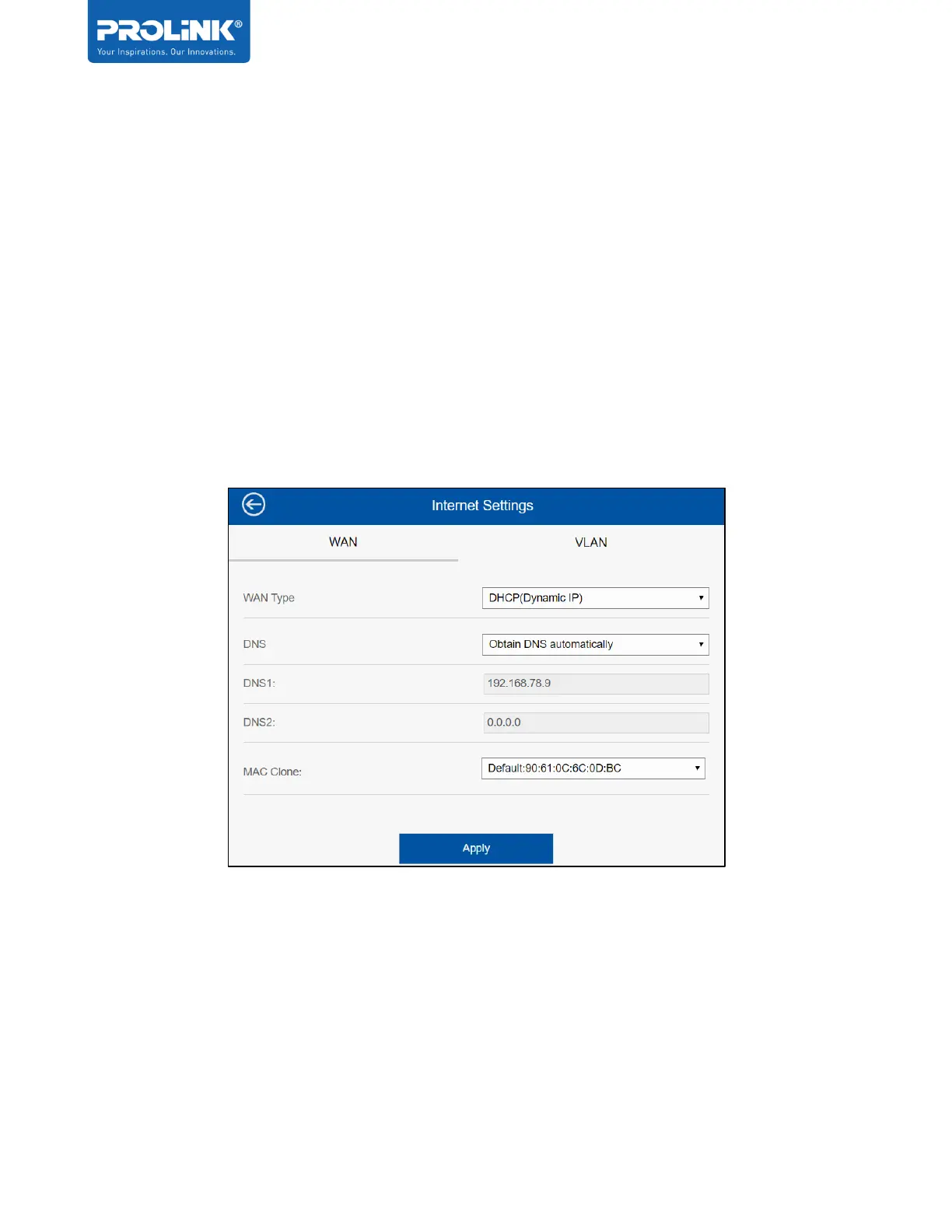
Internet Setting is the option for user to configure the WAN setting and VLAN settings. WAN
settings support: DHCP (Dynamic IP), Fixed IP, and PPPoE. This is the advanced setting for
advanced user to configure, by default the WAN type is set to DHCP and Obtain DNS
automatically.
Note: No need to set connection settings if the Internet network is on DHCP.
DHCP (Dynamic IP) - No need to set connection settings if the network supports DHCP.
Usually all the configuration is automatically configured when connected to the host network.


 To Next Page