PRC2402M User Manual v1.1
Page 11 / 49
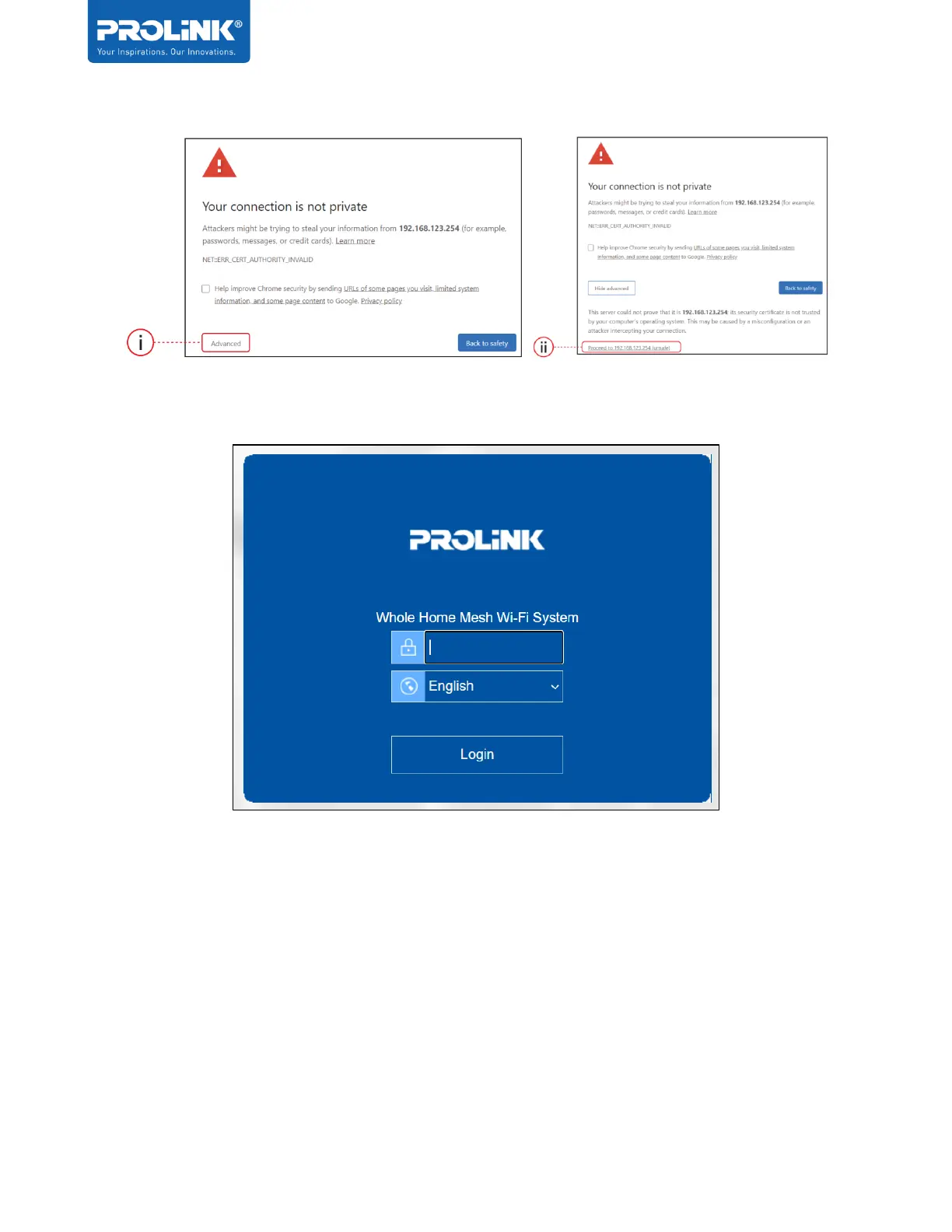
2. Enter the Web GUI Password. Default password can be found at the product label. Do
note that password is Case-Sensitive.
3. Upon login, set Time Zone and New Login Password. Click Save to proceed. Note that
the New Login Password is the password that you will require for subsequent login to
through Web GUI and App.


 To Next Page