PRC2402M User Manual v1.1
Page 13 / 49
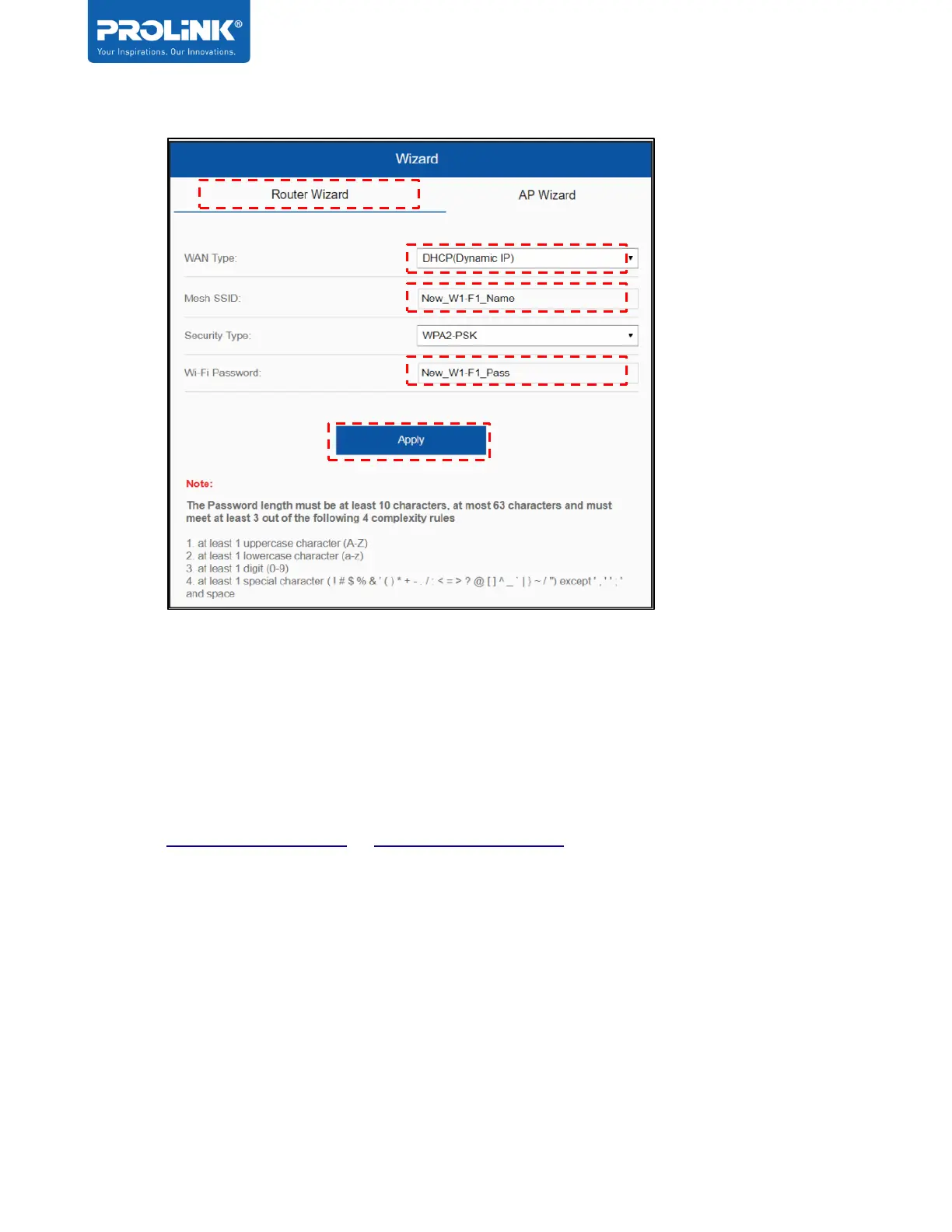
5. To set PRC2402M as AP, select AP Wizard and complete the following steps:
a. Set the new SSID (Default: PROLiNK_Mesh_XXXX), and new Wi-Fi password
(Default: refer to product label)
b. Click Apply
c. NOTE: to re-access the PRC2402M GUI after the setting above, go to
http://prc2402m.setup or https://prc2402m.setup.


 To Next Page