EasyManua.ls Logo

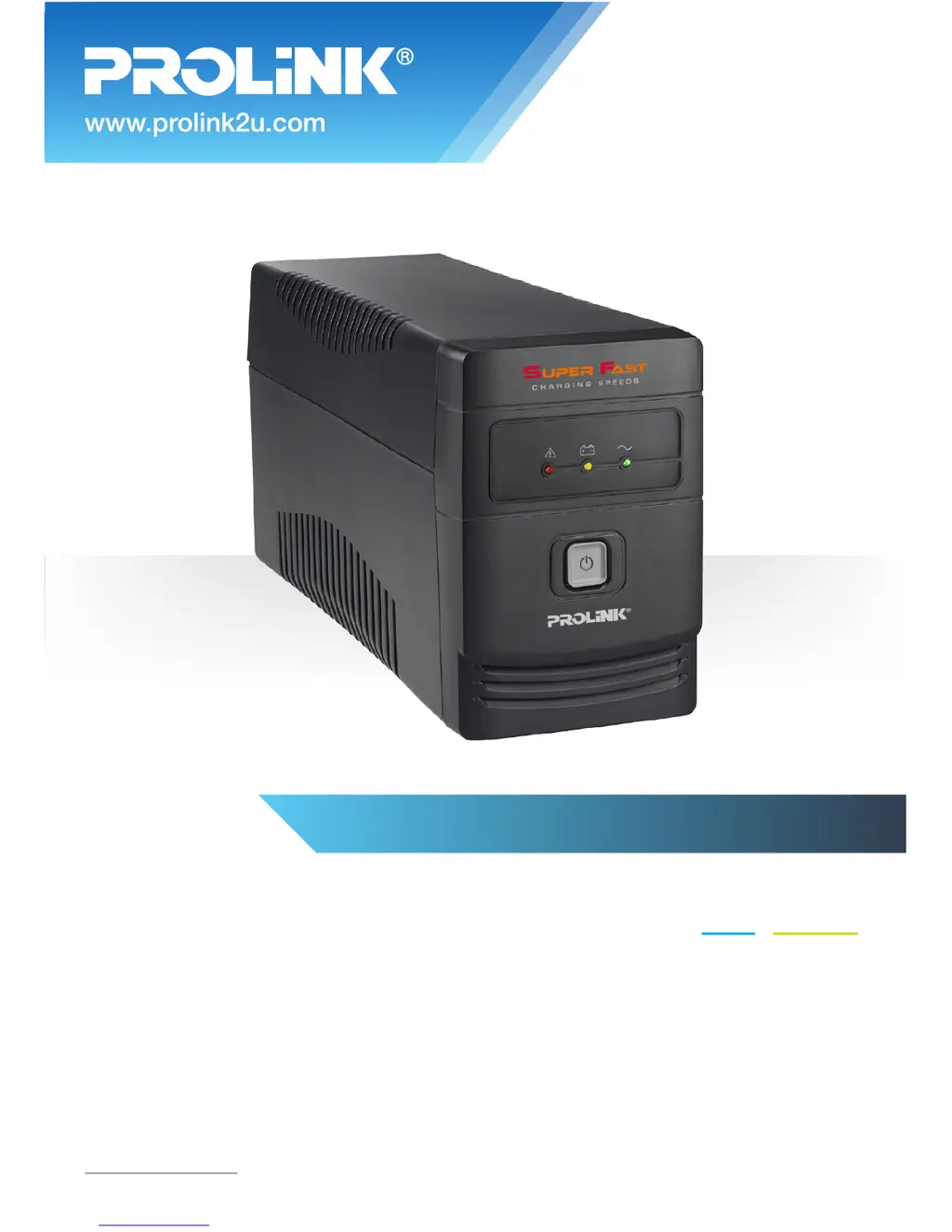
PROLiNK PRO850SFCU - User Manual

PROLiNK PRO850SFCU
16 pages
Print Icon
To Next Page IconTo Next Page
Loading...
BEFORE GETTING STARTED
This document is designed to aid you to get started with the device. If you experience problems following
these guides or need further information pertaining to the device, please visit our website at
www.prolink2u.com. All specifications are subject to the manufacturers configuration at the time of
shipping and may change without prior notice, written or otherwise.
Quick Start Guide
Line Interactive UPS
MODEL NO:
PRO850SFCU
Version 1.00
(English / Indonesian)

Questions and Answers

  • S
    Steven CollierAug 3, 2025
    Why does my PROLiNK UPS keep beeping when the power is on?
    • A
      Angela ShepherdAug 3, 2025
      If the PROLiNK UPS alarm is continuously sounding even when the main power is normal, it likely indicates that the UPS is overloaded. To resolve this, disconnect some of the connected devices to reduce the load. Before reconnecting any equipment, ensure that the total load does not exceed the UPS's specified capacity.
  • T
    Tiffany BellAug 10, 2025
    What to do if PROLiNK PRO850SFCU UPS back-up time is shortening?
    • E
      Elizabeth RamirezAug 10, 2025
      If your PROLiNK UPS is experiencing a shortened back-up time during a power failure, there are several potential causes. First, the UPS might be overloaded, in which case you should remove some non-critical devices. Second, the battery voltage could be too low; try charging the UPS for at least 6 hours. Finally, the battery itself might be defective due to high temperature operation or improper use; consider replacing it with the same type of battery.
  • W
    Willie BlakeAug 17, 2025
    How to fix PROLiNK PRO850SFCU UPS with no LED display?
    • M
      Mary VaughnAug 17, 2025
      If there is no LED display on the front panel of your PROLiNK UPS, it could be due to a few reasons. It might be because the battery is low, in which case you should charge the UPS for at least 6 hours. Alternatively, the battery could be faulty, requiring a replacement with the same type of battery. Lastly, ensure that the UPS is turned on by pressing the power switch.
  • J
    Jason YatesAug 27, 2025
    What to do if PROLiNK PRO850SFCU LED is flashing when power is normal?
    • A
      Autumn McclainAug 27, 2025
      If the main power is normal but the LED on your PROLiNK UPS is flashing, the power cord might be loose. Reconnect the power cord properly to ensure a stable connection.

Summary

Quick Start Guide

Before Getting Started

Guidance to help users get started with the device and where to find further information.

Important Safety Warning

General Safety Precautions

Essential safety instructions to prevent fire, electric shock, and equipment damage.

Package Contents

Overview

Component Legend

Explanation of the LEDs, power switch, ports, and outlets on the UPS unit.

Installation & Initial Startup

Connecting to Utility and Charging

Instructions for connecting the UPS to a power outlet and initial battery charging.

Placement and Storage Conditions

Guidelines for properly installing and storing the UPS in a suitable environment.

Connecting Loads to UPS

Procedure for connecting devices to the UPS output receptacles.

Connecting Communication Cable

Details on connecting the UPS to a PC for monitoring and shutdown management.

Turning Unit On and Off

Basic instructions on how to power the UPS unit on and off.

Software Download & Installation

Troubleshooting

Specifications

Worldwide Customer Care Centers

PROLiNK PRO850SFCU Specifications

General IconGeneral
Capacity850 VA / 480 W
Input Voltage230 VAC
Input Voltage Range162-290 VAC
Output Voltage230 VAC
Transfer Time (Typical)2-6 ms
Waveform (Battery Mode)Simulated Sine Wave
Typical Recharge Time4-6 hours recover to 90% capacity
Number of Outlets4
ProtectionOverload, Discharge, and Overcharge Protection
Communication PortUSB
Input Frequency50/60Hz
Output Frequency50 / 60Hz ± 1Hz
Battery Type12V/9.0AH x 1

Related product manuals