PROLiNK
®
PWH2004 User Manual www.prolink2u.com
Revision 1.0 (Aug’09) 10
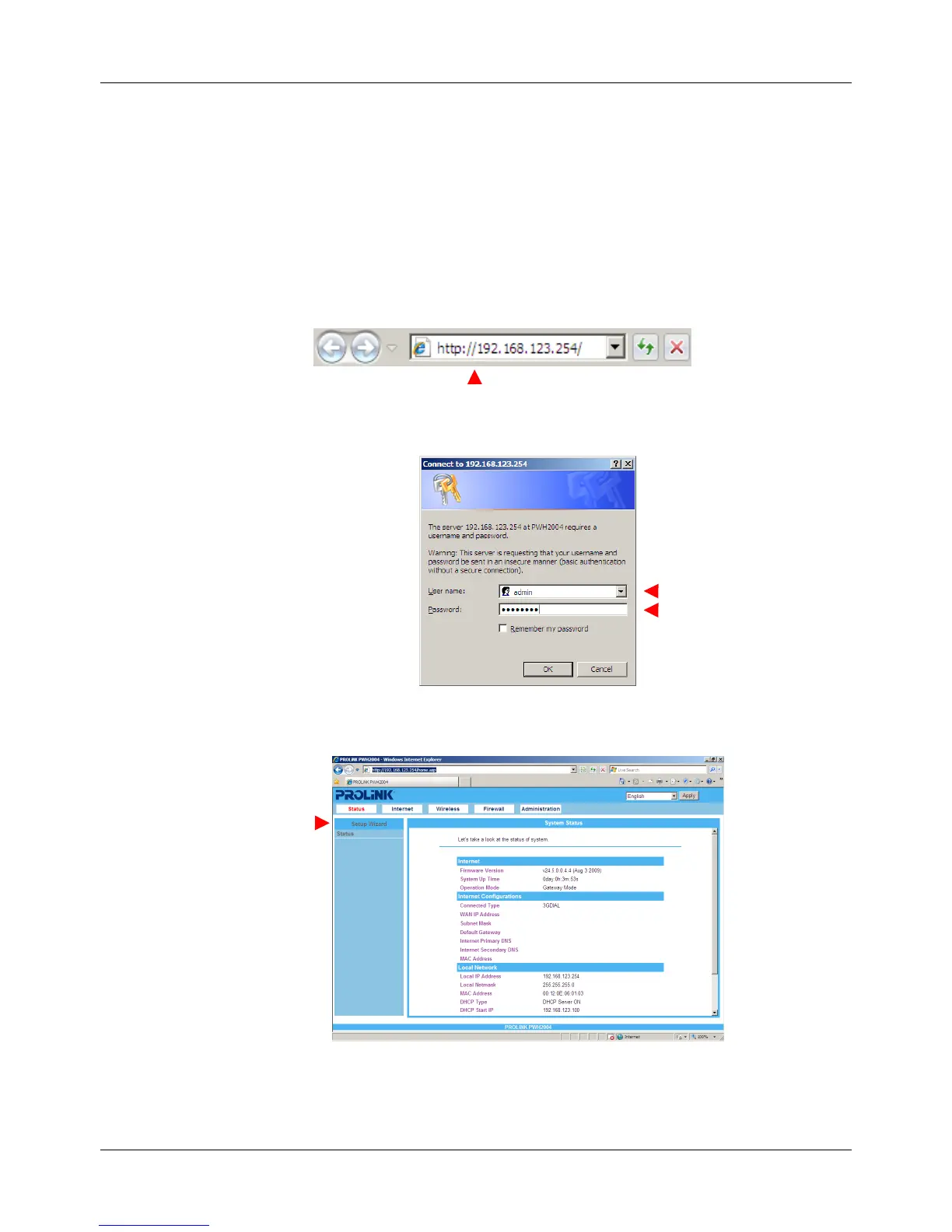
4.2 Login to Router
4.2.1. Start your computer and make sure the connection by an Ethernet cable between your
computer and the PWH2004 Wireless HSPA Router.
4.2.2.
Start a web browser, type IP address “192.168.123.254” into address box
4.2.3. After connected successfully, the login screen will be prompted on screen. Default username is
‘
admin
’ and password is ‘
password’
.
4.2.4. Click the Setup Wizard item that provides a primary configuration of the PWH2004 Wireless HSPA
Router.
NOTE:
If you have difficult in connecting the PWH2004 Wireless HSPA Router, refer to Appendix A for
troubleshoots.



 To Next Page