PROLiNK
®
PWH2004 User Manual www.prolink2u.com
Revision 1.0 (Aug’09) 24
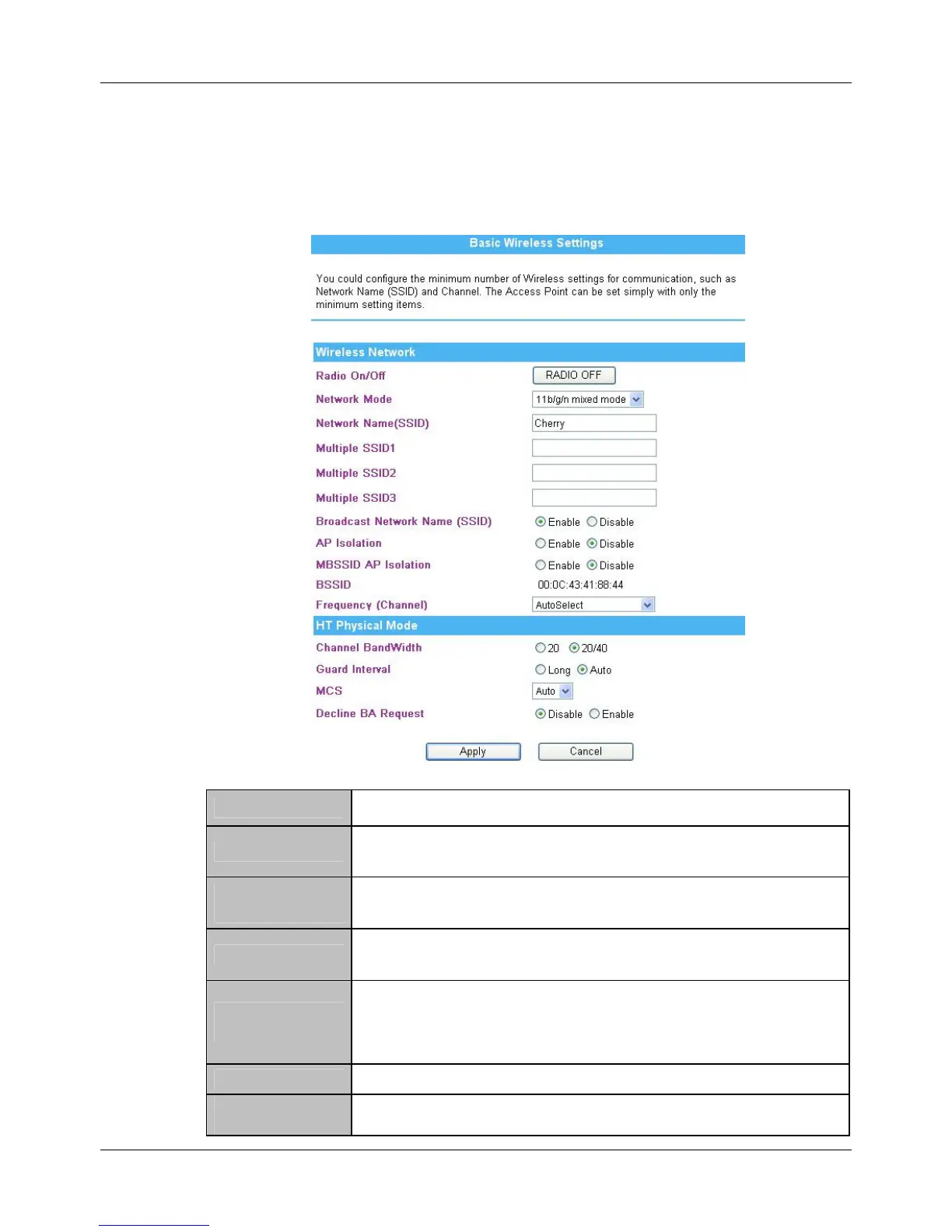
4.6 Wireless
4.6.1. Basic
Radio On/Off Click Radio ON/OFF button to turn on or off the radio function.
Network Mode
Select 11b/g mixed, 11b only, 11g only, or 11b/g/n mixed mode from the pull-
down menu. (Default is 11b/g/n mixed mode.)
Network Name
(SSID)
A SSID is referred to a network name because essentially it is a name that
identifies a wireless network (case-sensitive).
Multiple SSID 1~3
A multiple SSID is referred to a network name because essentially it is a name
that identifies a wireless network.
Broadcast Network
Name(SSID)
Enable: This wireless AP will broadcast its SSID to stations. Disable: This wireless
AP will not broadcast its SSID to stations. If stations want to connect to this
wireless AP, this AP’s SSID should be known in advance to make a connection.
AP Isolation Select Enable or Disable to enable this function.
MBSSID AP
Isolation
Select Enable or Disable to enable this function.



 To Next Page