PROLiNK
®
PWH2004 User Manual www.prolink2u.com
Revision 1.0 (Aug’09) 3
CHAPTER 2 – INTRODUCTION
The PROLiNK
®
PWH2004 Wireless HSPA Router is a draft 802.11n/b/g compliant Wireless Broadband
Router with 4-port Fast Ethernet Switch. It is designed with the latest Draft 802.11n technology that
delivers up to 150Mbps wireless, provides multi-functional capabilities, particularly the high-performance
throughput and high-quality security to propose an integrated, thorough SOHO solution. The incredible
speed of the PROLiNK
®
PWH2004 Wireless HSPA Router makes it ideal for media-centric applications like
streaming video, gaming, and Voice over IP technology, ensure optimum performance and maximum
coverage with an external antenna. With the PROLiNK
®
PWH2004 Wireless HSPA Router, government
employees or corporate users can create a wireless network and provide colleagues with remote access
to their secure private networks. By installing the PROLiNK
®
PWH2004 Wireless HSPA Router on a bus,
train, or even a boat, you can allow passengers to check e-mail or chat online while commuting.
2.1 Overview of the Device
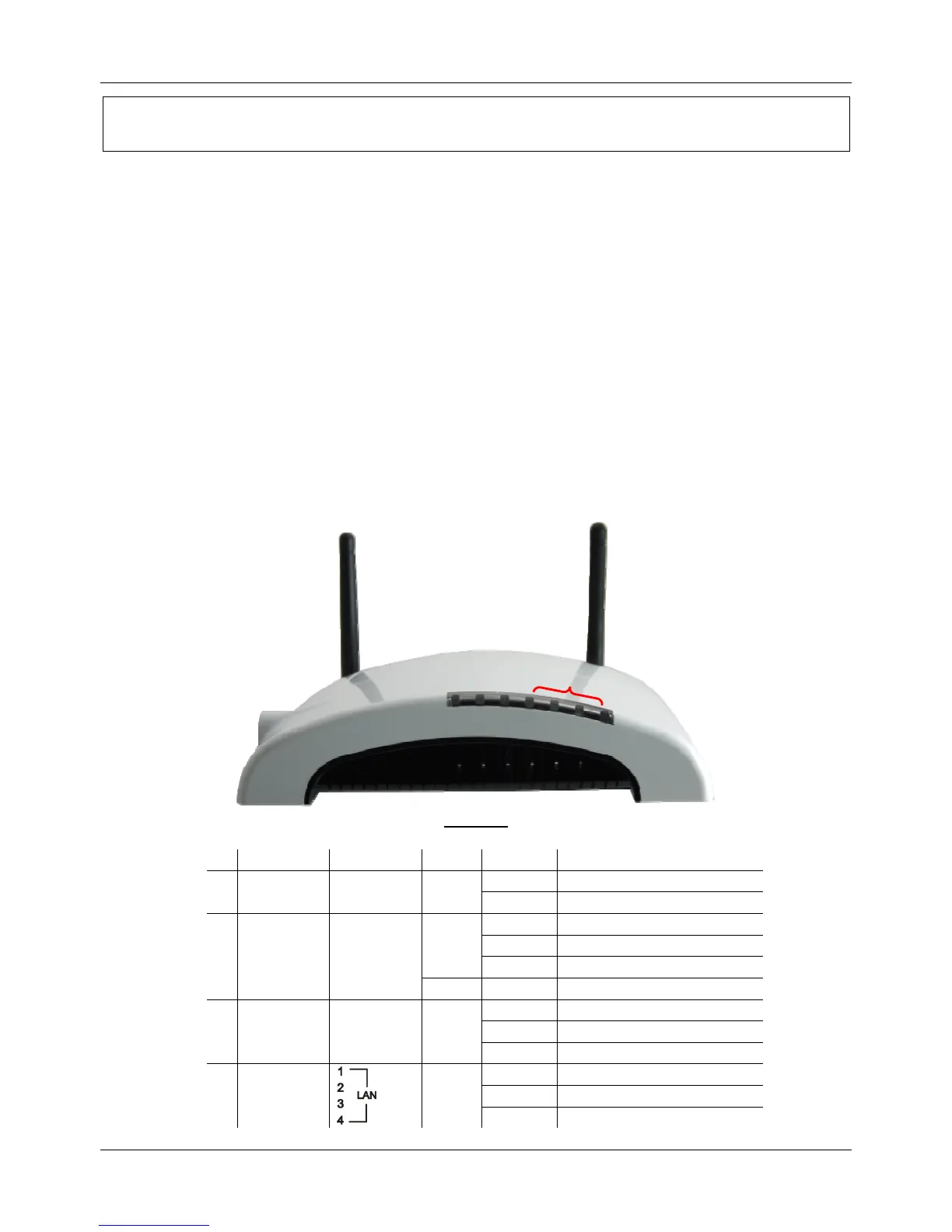
2.1.1 Front View
Front View
LED Label Color Behavior Indication
ON Power On
n
POWER Power Green
OFF Power Off
On WLAN link or WPS Active
Off WLAN Off
Green
Blinking WLAN traffic transmitting
o
WLAN/WPS WLAN/WPS
Orange Blinking WPS is enabled to make connection
On WAN link or active
Off WAN Off
p
WAN WAN Green
Blinking WAN traffic transmitting
On LAN link or active
Off LAN Off
q
LAN1 ~ LAN4
Green
Blinking LAN traffic transmitting
n o p q



 To Next Page