PROLiNK
®
PWH2004 User Manual www.prolink2u.com
Revision 1.0 (Aug’09) 29
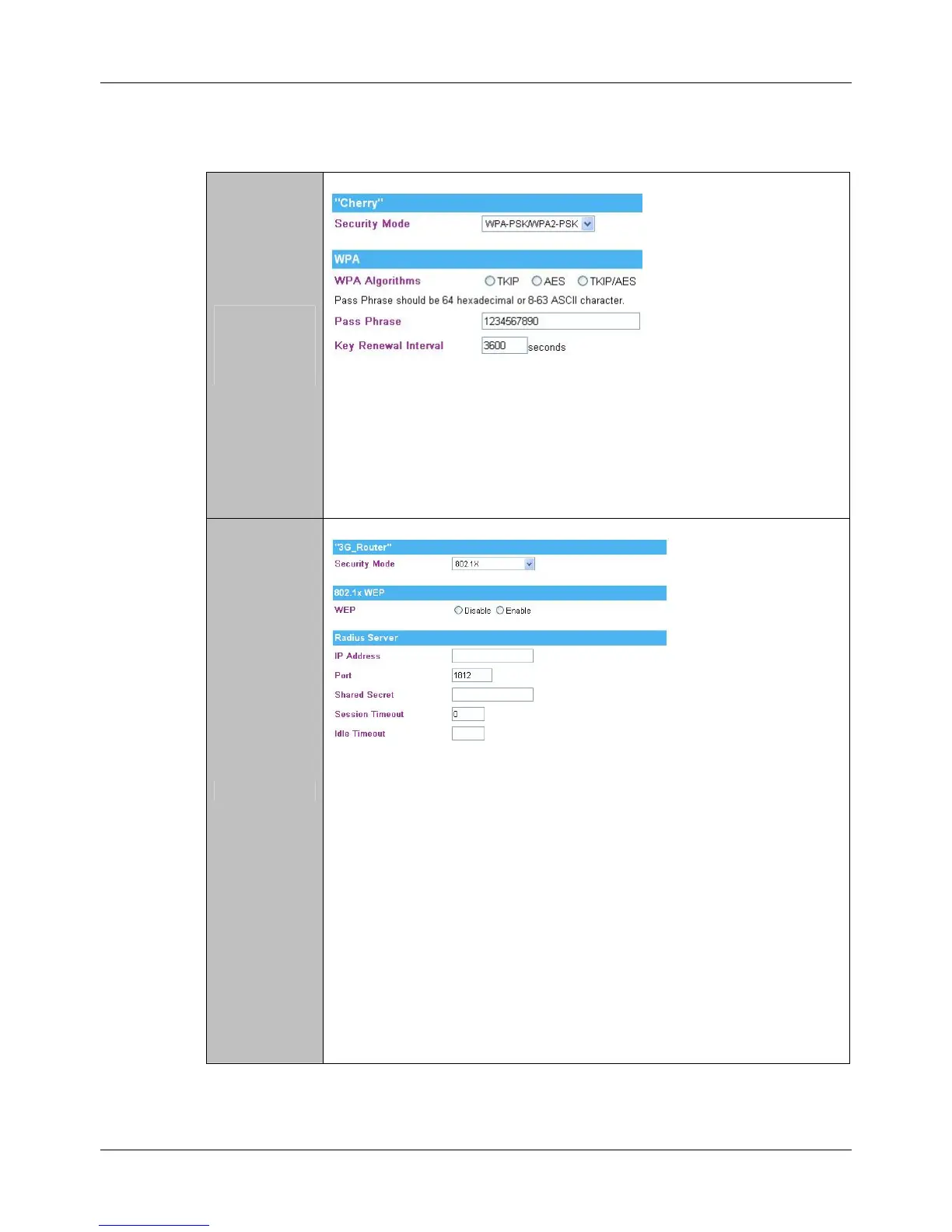
WPA-PSK
WAP2-PSK
WPA-PSK
WPA2-PSK
WPA Algorithms: Select the type of algorithm TKIP or AES for WP-PSK, and
TKIP, AES or TKIP/AES for WPA2-PSK, WPA1 PSK WPA2 PSK.
Pass Phrase: Enter the pass phrase 8~63 ASCII or 64 HEX characters in the
column.
Key Renewal Interval: Enter the renewal security time (seconds) in the column.
Default is 3600 seconds. Set 0 to disable re-key.
802.1x
WEP: Select Disable or Enable to this function.
RADIUS Server: RADIUS is an authentication, authorization and accounting client-
server protocol. The client is a Network Access Server that desires to
authenticate its links. The server is a server that has access to a user
database with authentication information.
IP Address: Enter the RADIUS Server’s IP Address provided by your ISP.
Port: Enter the RADIUS Server’s port number provided by your ISP. (The
default is 1812.)
Shared Secret: Enter the password that the Wireless Router shares with the RADIUS
Server.
Session Timeout: Session timeout interval is for 802.1x re-authentication setting. Set to
zero to disable 802.1x re-authentication service for each session.
Session timeout interval unit is second and must be larger than 60.
Idle Timeout: Enter the idle timeout in the column.



 To Next Page