Closing Apps
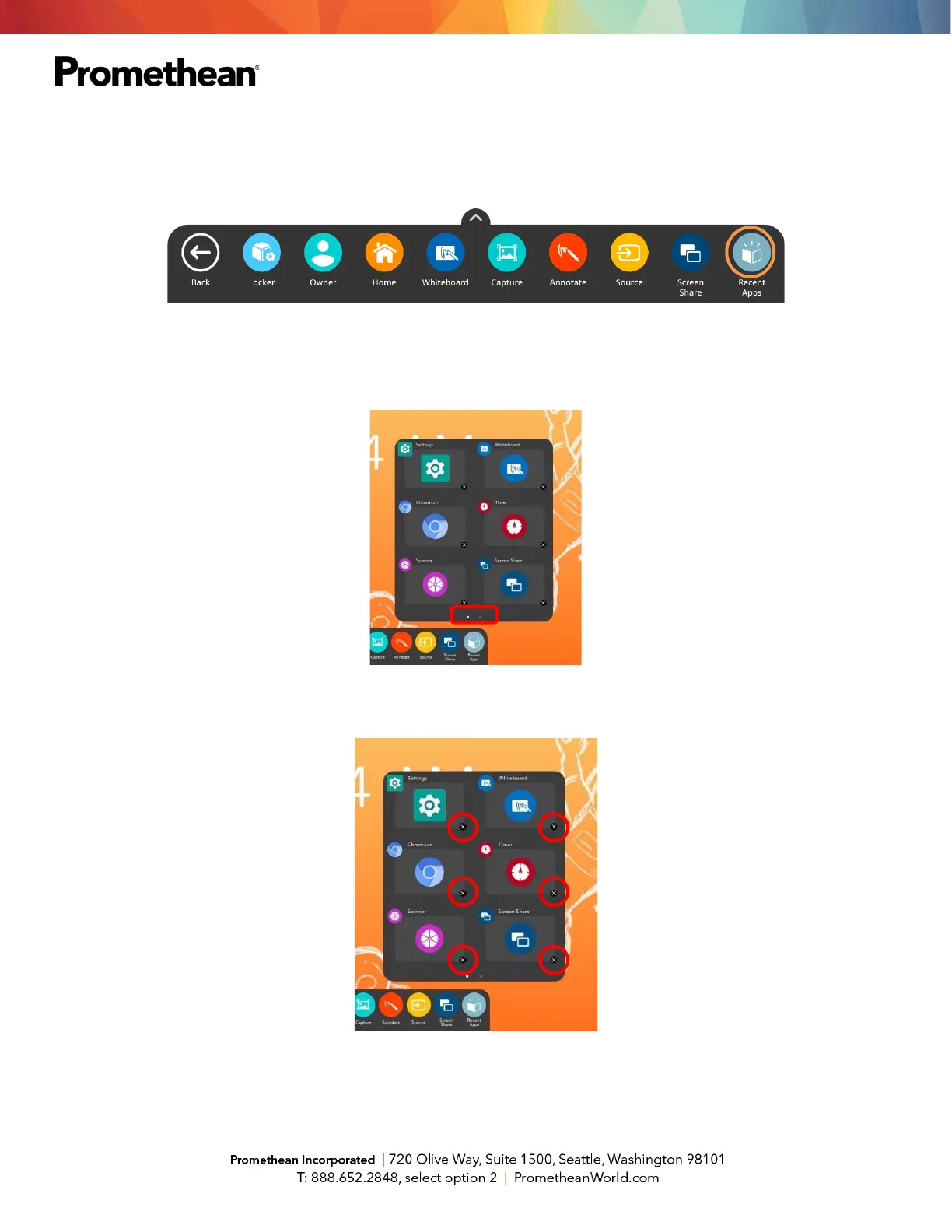
To close apps on your Elements Series ActivPanel, select the Unified Menu, then tap Recent Apps.
Depending on how many apps you currently have open, there may be multiple pages, denoted by small white
dots at the bottom of the Recent Apps window. Swipe to the right or left to navigate between pages.
To close apps, much like you do on your smart phone, simply tap the little x to the bottom right of an app.













 To Next Page