SECTION 13—ACCESSORIES
Pronto® M61™with SureStep® 76 Part No. 1139640
SECTION 13—ACCESSORIES
WARNING
After any adjustments, repair or service and before use, make sure that all attaching
hardware is tightened securely - otherwise injury or damage may result.
Before performing any maintenance, adjustment or service verify that On/Off
switch on the joystick is in the Off position.
Installing/Removing the Crutch/Cane Holder
WARNING
The installation of the crutch/cane holder onto the back of the seat significantly
increases the length of the wheelchair. When turning the wheelchair or swiveling
the wheelchair seat, it is important to take note of this increased length - otherwise,
injury and/or damage to the surrounding property may result.
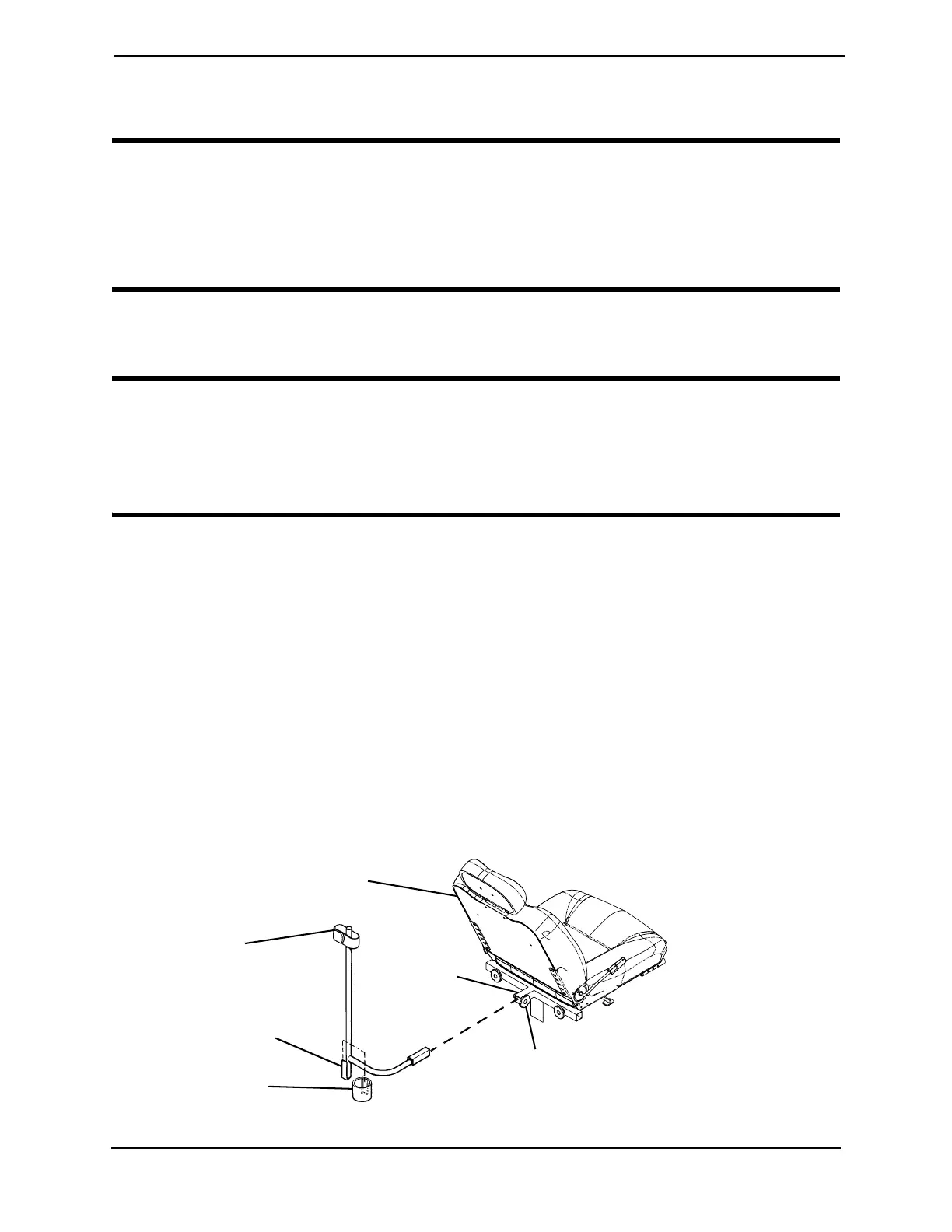
NOTE: For this procedure, refer to FIGURE 13.1.
NOTE: The Crutch/Cane Holder and Oxygen Holder all install into the accessory tube. Only one
of these may be installed at a time.
NOTE: To remove, reverse the following procedure.
Installing
1. If necessary, loosen but do not remove the mounting knob.
2. Install the crutch/cane holder into the accessory tube located on the back of the seat.
3. Thread the mounting knob into the welded nut on the accessory tube. Securely
tighten.
4. Align slot on base with hook on crutch/cane holder and slide base down into position.
FIGURE 13.1 Installing/Removing the Crutch/Cane Holder
Mounting
Knob
Accessory
Tube
Hook
Crutch/Cane
Holder
Seat
Base



 To Next Page