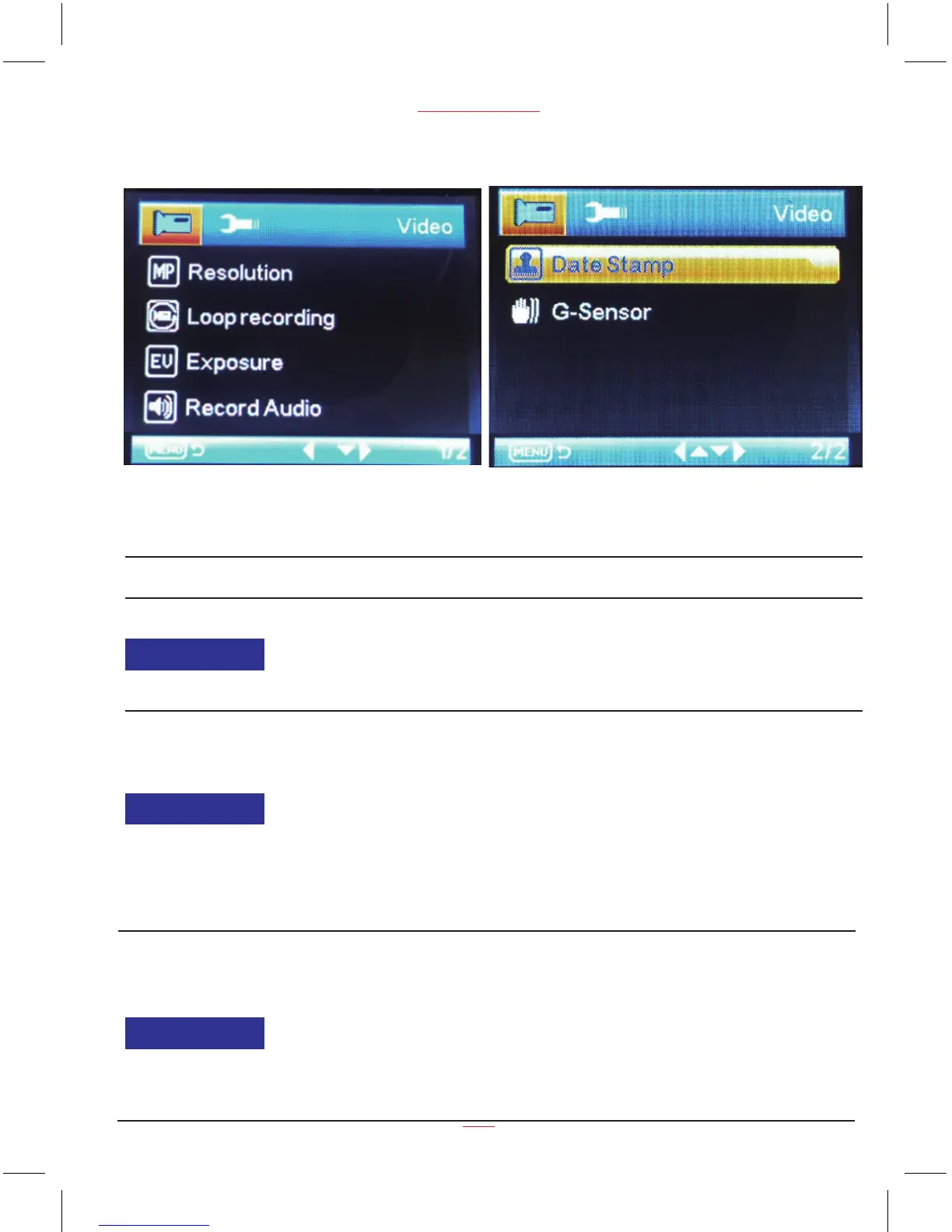
Video Menu Options
www.proofcam.com
10
Video Mode
Function List Description Available Option
Resolution
Setting for video resolution.
720P 1280 x 720 is the default
settings.
1080FHD 1920 x 1080
1080P 1440 x 1080
720P 1280 x 720
WVGA 848 x 480
VGA 640 x 480
Loop recording
Setting for enabling automatic
loop record and the video clip time.
Off - The recording will stop when
the SD card is full.
30 seconds /1 minute /2 minutes -
Select segment recording time.
For example, the recording time is
2 mintues. If 20 minutes of video
is recorded, then 10 segments each
of 2 minutes in length will be created.
Off / 30 Seconds / 1 Minutes
/ 2Minutes
Exposure
Manual compensation for low or
bright light levels. The more
negative “-” in scale, the darker
the recorded video appears. The
more appears “+” in scale, the
brighter the recorded video
appears. 0 is the neutral setting
for this option and is the default
value.
-2.0 / -5/3 / -4/3 / -1.0 / -2/3
/ -1/3 / +0.0 / +1/3 / +2/3 /
+1.0 / +4/3 / + 5/3 / +2.0


 To Next Page