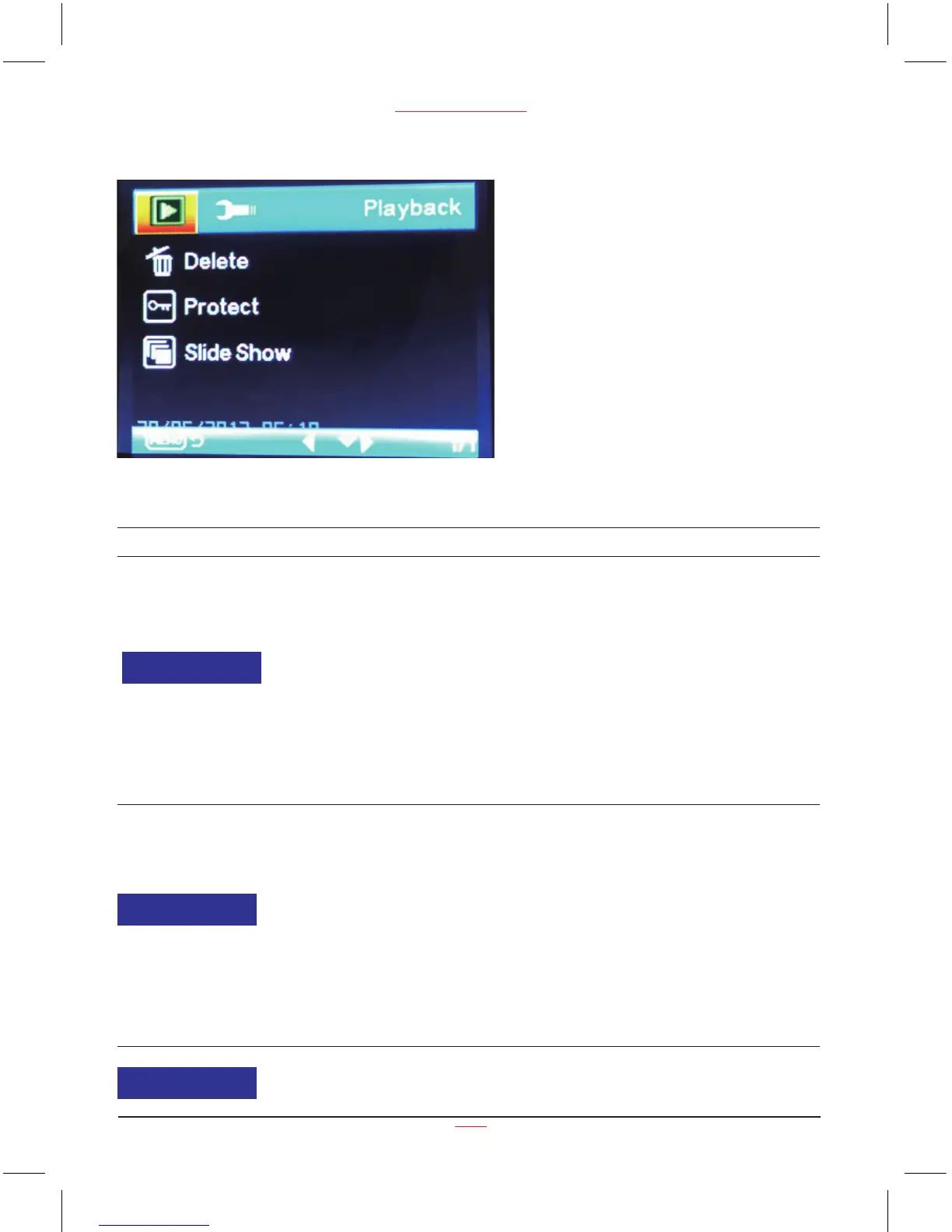
Playback Menu Options
Function List Description Available Option
This option allows for the deletion of
one or more videos /photos from the
memory card.
Delete Current - This option allows a
single video or photo to be deleted from
the inserted memory card per action.
Delete All - This option allows all videos
or all photos to be deleted from the
inserted memory card per action.
Warning: Videos and photos CANNOT be
recovered once they are deleted.
Delete Current /
Delete All
Protect one or all videos /photos from
being replaced when the memory card
is full.
Lock Current - This option allows a single
video or photo to be protected.
Unlock Current - This option allows a
single video or photo to be unprotected.
Lock All - This option allows all video or
photos to be protected.
Unlock All - This option allows all video
or photos to be unprotected.
Lock Current
Unlock Current
Lock All
Unlock All
Playback
17
PC 105 HD Dash Cam
Delete
Protect
Set the playing speed.
2 Seconds / 5 Seconds
/ 8 Seconds
Slide Show


 To Next Page