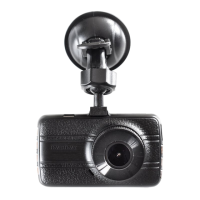
Installing the Dash Cam
1. Push the suction pad into the slot on the top of the dash cam, make sure the
suction pad is securely locked in place.
2. Remove the protective film from the suction cup, with the suction-cup laying
flat, position the suction-cap on the windshield, and then press down the
clamp to suction pad the holder to the windshield. Make sure the base is securely
locked in place.
3. Loosen the knob to swivel the dash cam vertically. Lock the knob, to confirm that
the dash cam is securely locked in place.
4. Rotate the dash cam 360° to have proper view if required.
Connecting to Power
Use only the supplied in car charger for activating the dash cam and charging the
built-in battery.
1. Connect one end of car charger to USB port on the dash cam.
2. Plug the other end of the car charger to the in car power socket of your
vehicle. Once the vehicle engine is started, the device automatically turns on.
It will also turn off when the engine is turned off.
www.proofcam.com
04
Note:
Some vehicles have an in car power supply that remains on, even if the engine
is turned off. If this is the case, you will need to manually turn the dash cam on
and off, using the power button, when you enter and leave the vehicle.
1.
2. Any excess cable can normally be tucked into the ceiling of the vehicle. We have
a video to advise on how best to fit the PC 105 which is available at
www.proofcam.com and visit “ Dash Cam Resources”. You can also search
“How to fit an PC 105” on YouTube.


 To Next Page