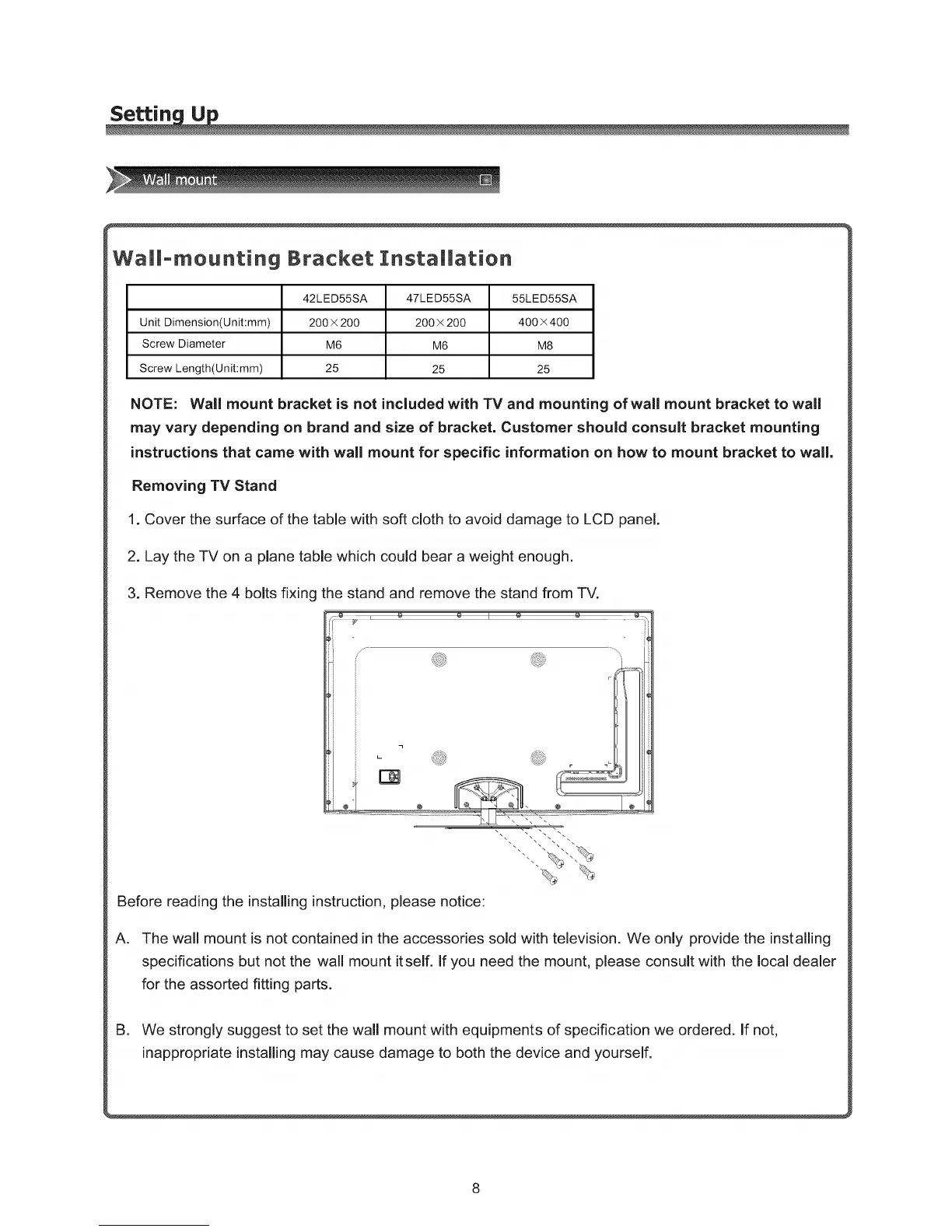
Wallomounting Bracket Installation
42LED55SA 47LED55SA 55LED55SA
Unit Dimension(Unit:mm) 200 x 200 200 x 200 400 x 400
Screw Diameter M6 M6 M8
Screw Length(Unit:mm) 25 25 25
NOTE: Wall mount bracket is not included with TV and mounting of wall mount bracket to wall
may vary depending on brand and size of bracket. Customer should consult bracket mounting
instructions that came with wall mount for specific information on how to mount bracket to wall.
Removing TV Stand
1. Cover the surface of the table with soft cloth to avoid damage to LCD panel.
2. Lay the TV on a plane table which could bear a weight enough.
3. Remove the 4 bolts fixing the stand and remove the stand from TV.
Before reading the installing instruction, please notice:
A,
The wall mount is not contained in the accessories sold with television. We only provide the installing
specifications but not the wall mount itself. If you need the mount, please consult with the local dealer
for the assorted fitting parts.
B. We strongly suggest to set the wall mount with equipments of specification we ordered, if not,
inappropriate installing may cause damage to both the device and yourself.
8



 To Next Page