Changing the TV Settings
1
2
3
4
Press
Press
Press
Press
press
button
Press
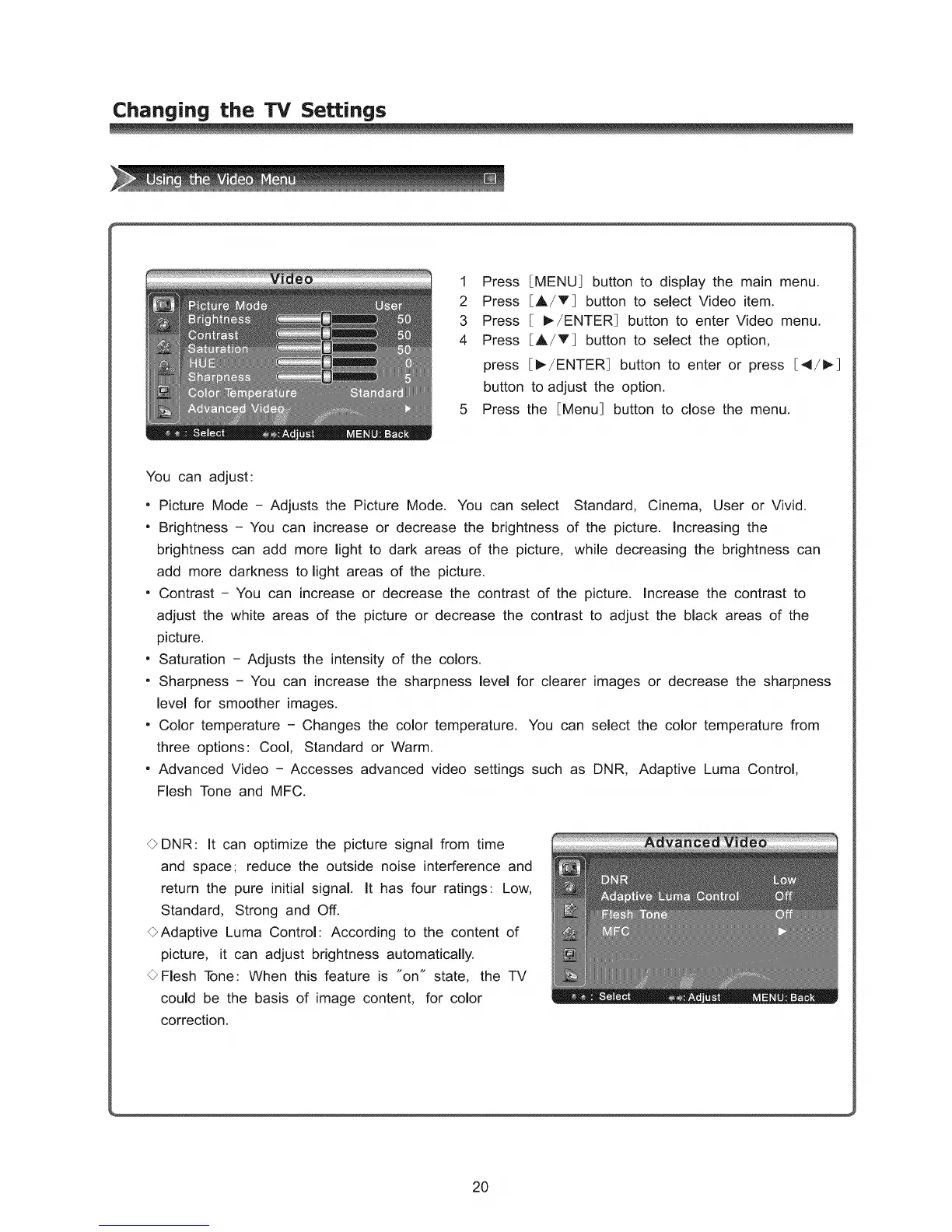
[MENU] button to display the main menu.
[A/T] button to select Video item.
[ I_-/ENTER] button to enter Video menu.
[A/T] button to select the option,
[_/ENTER] button to enter or press [4/1_]
to adjust the option.
the [Menu] button to close the menu.
You can adjust:
• Picture Mode - Adjusts the Picture Mode. You can select Standard, Cinema, User or Vivid.
" Brightness - You can increase or decrease the brightness of the picture. Increasing the
brightness can add more light to dark areas of the picture, while decreasing the brightness can
add more darkness to light areas of the picture.
• Contrast - You can increase or decrease the contrast of the picture. Increase the contrast to
adjust the white areas of the picture or decrease the contrast to adjust the black areas of the
picture.
• Saturation - Adjusts the intensity of the colors.
" Sharpness - You can increase the sharpness level for clearer images or decrease the sharpness
level for smoother images.
, Color temperature - Changes the color temperature. You can select the color temperature from
three options: Cool, Standard or Warm.
, Advanced Video - Accesses advanced video settings such as DNR, Adaptive Luma Control,
Flesh Tone and MFC.
O DNR: It can optimize the picture signal from time
and space; reduce the outside noise interference and
return the pure initial signal. It has four ratings: Low,
Standard, Strong and Off.
OAdaptive Luma Control: According to the content of
picture, it can adjust brightness automatically.
OFlesh Tone: When this feature is "on" state, the TV
could be the basis of image content, for color
correction.
20



 To Next Page