P.6
User Guide
2) Active Mode:
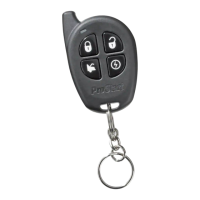
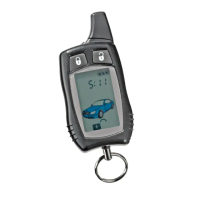
a) To arm the Starter Kill, press the
button on the transmitter.
i) The parking lights will flash once.
ii) The LED on the antenna will flash slowly.
b) To disarm the Starter Kill, press the
button on the transmitter.
i) The parking lights will flash twice.
ii) The LED on the antenna will remain OFF.
Remote Starter Features
RemoteDoorLocks
Note: This feature is only available if button is programmed as LOCK or UNLOCK.
If your system was installed with the Remote Door Locks option, you will have the convenience of
remote keyless entry.
To lock your doors and arm the starter kill (if installed):
1. Press and hold the
button for approx. 1 sec.
2. The parking lights will flash once to confirm that the doors have been locked and that the
Starter Kill feature is enabled if it was installed.
To unlock your doors and disarm the starter kill (if installed):
1. Press and hold the
button for approx. 1 sec.
2. The parking lights will flash twice and the LED will go out to confirm that the doors have been
unlocked and that the Starter Kill feature is disarmed if it was installed.
RemoteTrunkRelease
If your system was installed with the Remote Trunk Release option, you can open your trunk by
pressing the
& simultaneously for 3 seconds on the remote transmitter.
IdleMode
Convenience feature: Idle Mode allows you to keep the engine running and the doors
locked while you stop, for example, at a convenience store or for a short delivery.
This feature allows you to let the remote starter take over control of the vehicle (i.e. no Key in the
Ignition Switch) while the engine is running.
If your vehicle has an automatic transmission, proceed as follows to set the system to Idle
Mode:
1. With the engine running, make sure to release the brake pedal and press
on the
transmitter until the parking lights come ON.
2. Remove the ignition key from the ignition switch.
The engine will continue running.
3. Exit the vehicle and close all doors, hood and trunk.



 To Next Page