Running Immunoassays page 18
User Guide for Jess
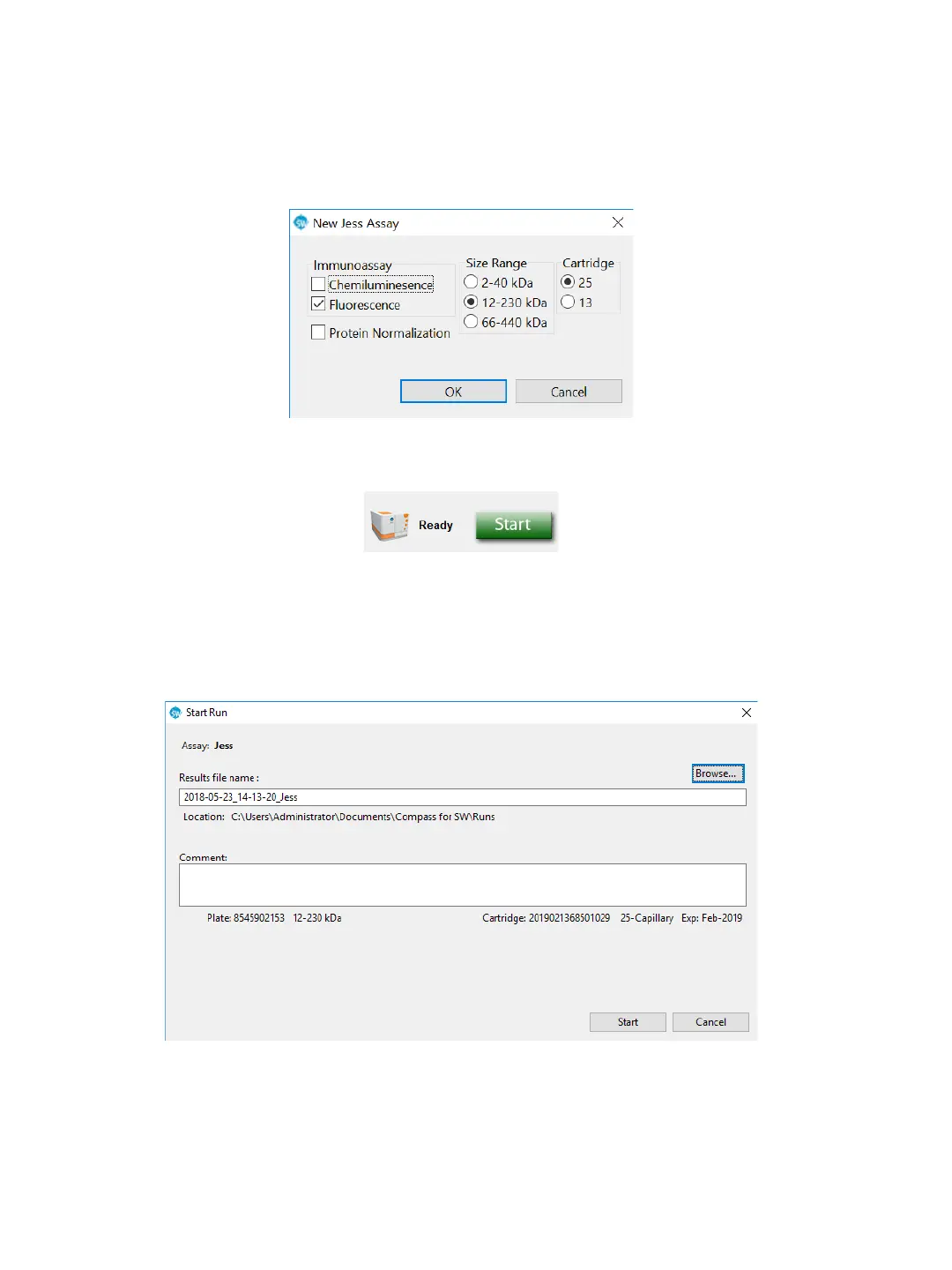
b. The Start button will display, which means an assay is already loaded.
c. Go to the Assay screen and make sure it’s the assay you want to use. If not, select File in the main
menu, click Open Assay, and select the correct one.
3. Click Start. The Start Run window for immunoassays displays with the default run file name and loca-
tion. Click Browse if you want to save it in a different location.


 To Next Page