pulling the handle. Repeat the above procedure several times.
b. Wash the discharge block:
Repeat above “Wash before Production” item a. and b.
6. Service and Maintenance
Notice for Service and Maintenance
1. A person must be specially assigned for management of the machine. This machine is
for food. It is important to keep the machine in clean and neat conditions after using
and before.
2. Each time when you complete the operation, clean the machine parts in contact with
the ice cream, such as discharge block, stirrer drum, stirrer shaft, expansion tube, feed
basin etc. immediately after the machine is stopped. Air dries the parts for the next
operation.
3. Check the tightness of the belts regularly. If the belt is loosen, adjust the center
distance between the pulley and the stirrer motor.
4. If the machine is laid idle for long time, put the main switch to OFF position. The
machine will be in standby condition
7. Models for Hard Ice Cream Machine (for the model H18S and H28S)
1). Production
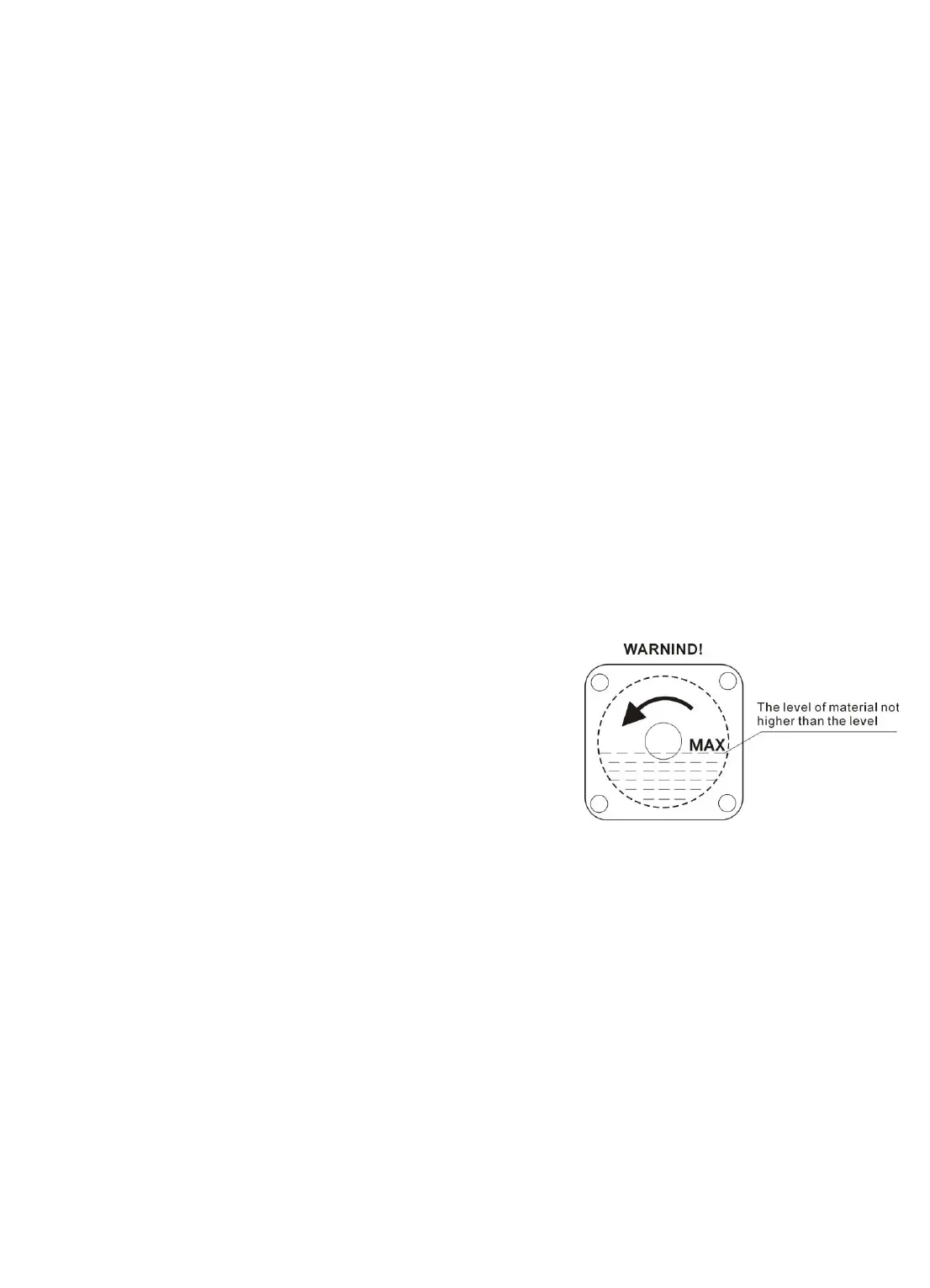
a. Fill the pulp from the feed hole of
the discharge block to the stirrer drum.
The level to be filled should not
to be too high or too low. Adjust the
running time according to your recipe
and environmental temperature (in
Room temperature, the running time for
each batch is about 12 minutes).
b. Push on On/Off key, the machine start production. The display indicates the
countdown time. As soon as the display indicates “0”, the compressor stops and the
stirrer motor will stop after a delay of 40 seconds. Ice cream will come out by opening
the discharge hole at the discharge block.
c. While in Production mode pushes on On/Off key, the machine enters Stop mode.
2). Time Setting Operation
a. While the machine in Stop mode, push the time + or — key, the display indicates
the time value set at the last time and the figure flashes. At this moment press + key
to increase the time value in minutes and — key to decrease the time value in minute.



 To Next Page