Page 43 of 126
Proton Products SL mini and SLR mini Series Speed and Length Gauges Instruction Manual - issue 1s
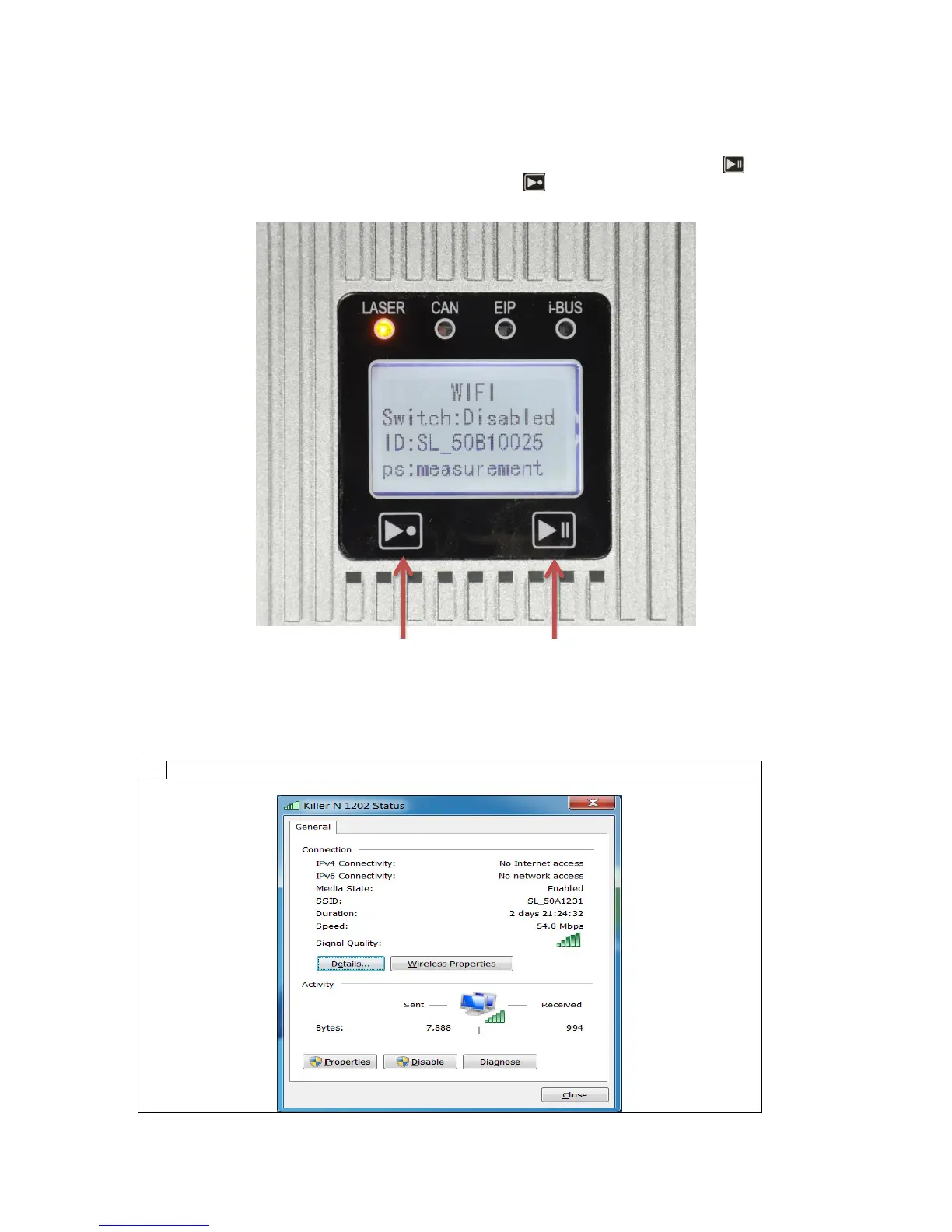
The WIFI function can also be enabled or disabled manually using the physical hardware buttons on
the gauge. To do this, first enter the WIFI interface configuration screen by long pressing (the
pause button) while the gauge is powering on. Then press (the reset button) to enable or disable
the WIFI function. Press the pause button to exit the WIFI interface configuration screen.
In the event of communication issues, it may be necessary to enable the Federal Information
Processing Standards (FIPS) compliance on the PC connected with the gauge. To enable the FIPS
compliance, please use the following procedure:



 To Next Page
 Loading...