+ +
Using the Remote Control
Button(s) Function
O Cycles through the closed captioning modes: Off, C1-4, and T1-4
cc
__) Used to navigate display menus
Selects the highlighted item or confirms the current adjustment
Note" To use a universal remote with your display, program the remote to control any NEC
television.
Replacing the Remote Batteries
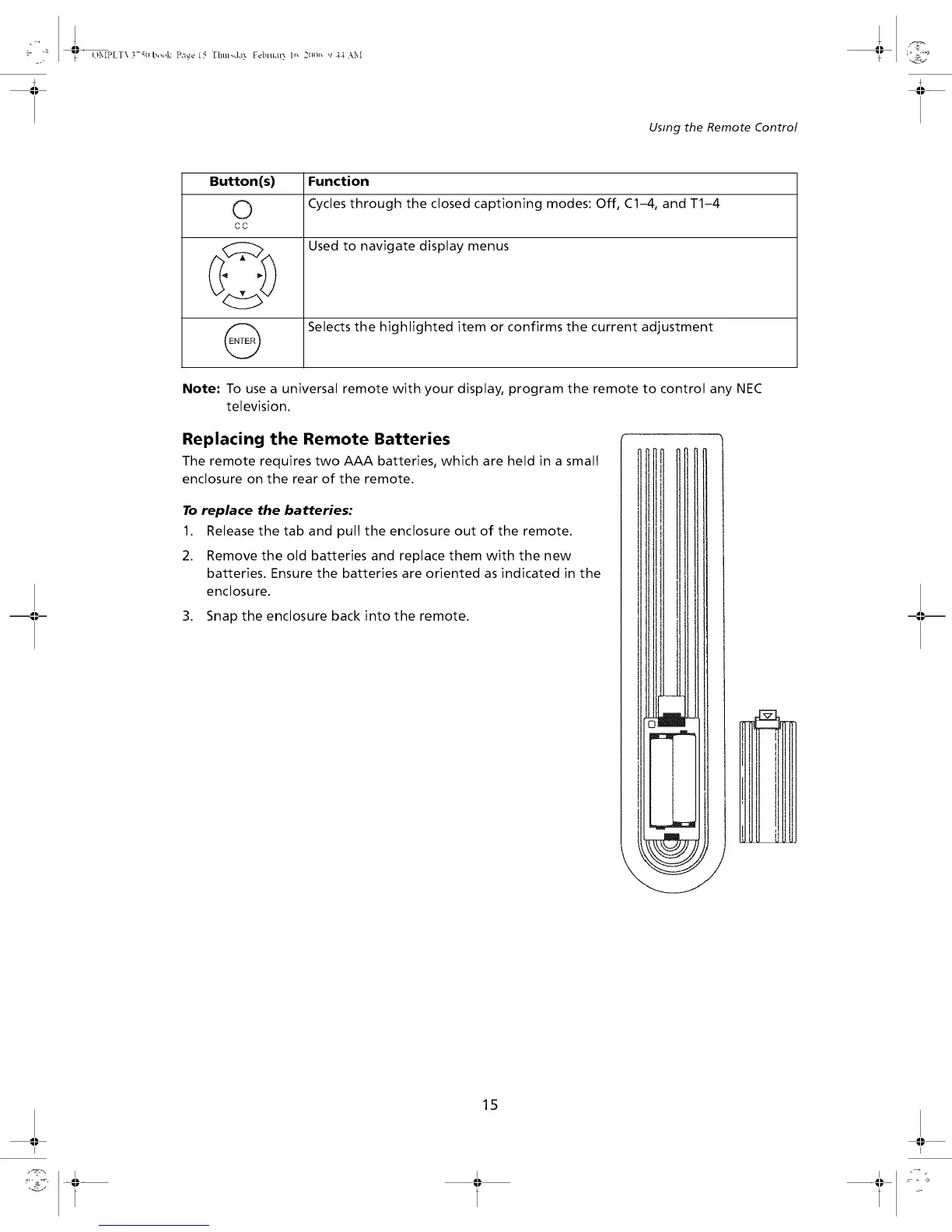
The remote requires two AAA batteries, which are held in a small
enclosure on the rear of the remote.
To replace the batteries:
1. Release the tab and pull the enclosure out of the remote.
2. Remove the old batteries and replace them with the new
batteries. Ensure the batteries are oriented as indicated in the
enclosure.
3. Snap the enclosure back into the remote.
F_
15
I I


 To Next Page