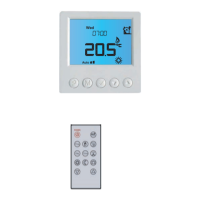
Electric Floor Model
17
Section Header
Temperature Hold
The temperature hold function allows you to manually override the current operating
program and set a different temperature for a desired period.
• Use the ‘Left/Right’ keys to scroll to ‘Hold’ and press
...............................................
• Repeatedly tap the ‘Up/Down’ keys to set the desired ‘Hold’ time
(Hours) then press
...................................................................................................................
Minutes will now flash.
• Repeatedly tap the ‘Up/Down’ keys to set the desired ‘Hold’ time
(Minutes) then press
...............................................................................................................
• Use the ‘Up/Down’ keys to set the desired ‘Hold’ temperature..................................
• Press
to confirm selection ................................................................................................................
You will see the ‘HOLD LEFT’ indication is displayed on screen.
The time will countdown the set duration and then revert to the normal program.
Cancel/Edit Temperature Hold
• Use the ‘Left/Right’ keys to scroll to ‘Hold’ and press
...............................................
• While ‘CANCEL’ is highlighted press
to cancel ‘Hold’ and return to
normal operation ...........................................................................................................................................
• Alternatively, press the ‘Left’ arrow key to highlight ‘EDIT’ them press
to adjust current ‘Hold’ settings ................................................................................................
To edit ‘Hold’ settings follow the same procedure as indicated in the steps at the top
of this page.


 To Next Page