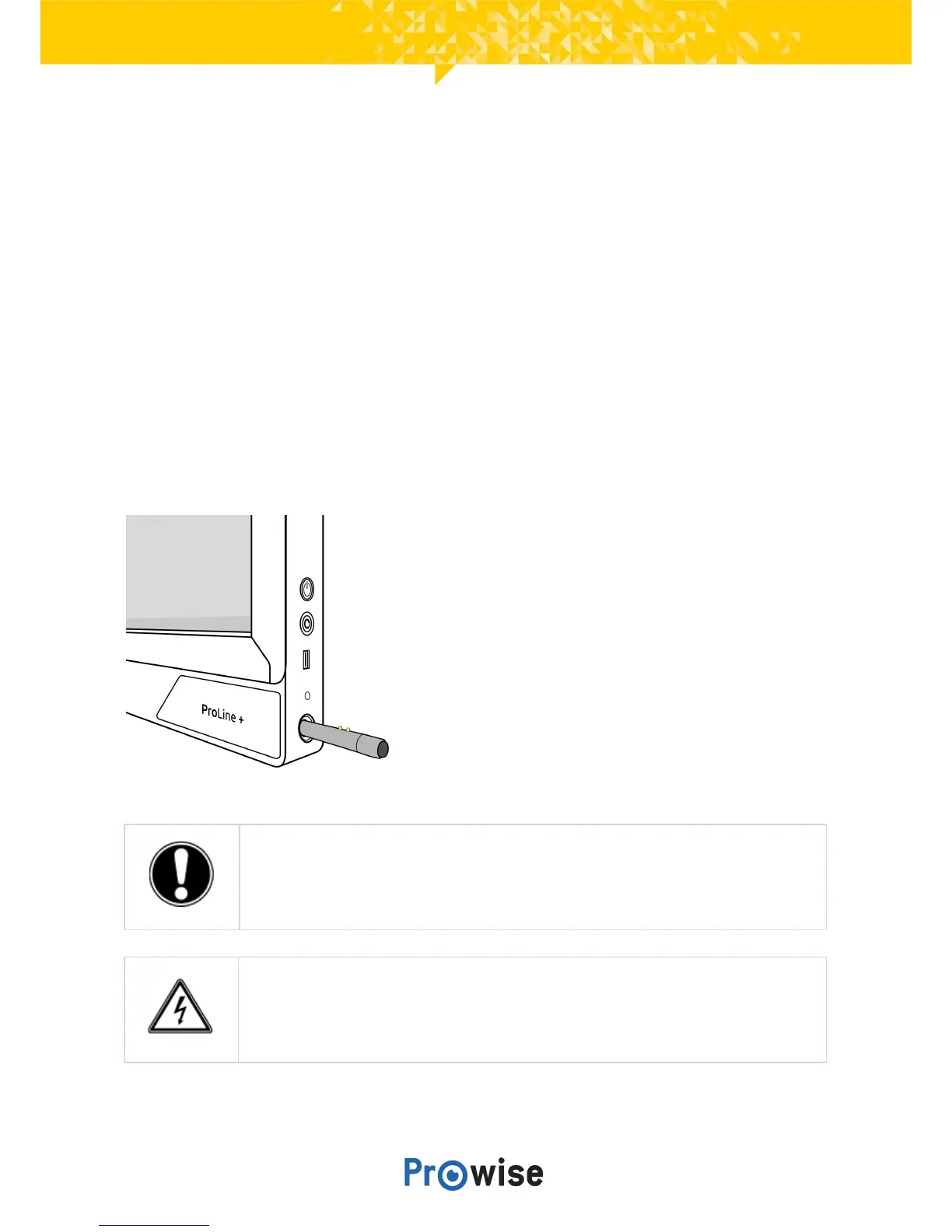
5.2.ProWrite®Inkpenchargingstation
The ProWrite® Ink pen charging station is located on the right-hand side of the touchscreen. Place the pen
in the charging station to charge it. The LED indicator light at the top of the charging station indicates the
ProWrite®Inkpen’sbatterystatus.
InformationabouttheLEDindicatorlightonthechargingstation:
● Off:thereisnopeninthechargingstation.
● Flashingredlight:thepenisbeingcharged.
● Litgreencontinuously:thepenisfullycharged.
A fully charged pen can be used for approximately 10 hours. It takes 2-3 hours to fully charge the
ProWrite®Inkpen.
PLEASE NOTE! The ProWrite® Ink pen protrudes approximately 1 cm when it is placed
in the charging station. To avoid damage to the pen and the charging station, never try to
pushthepenallthewayintothechargingstation.
WARNING! Only place the ProWrite® Ink pen in the charging station. Other objects may
cause damage to the charging station and the touchscreen. Conductive objects, such as a
metalpen,cancauseashortcircuit,whichmaydamageorbreakthechargingstation.



 To Next Page