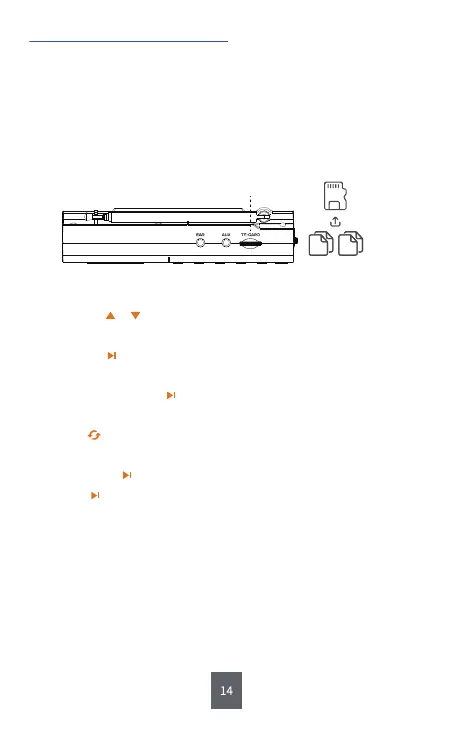
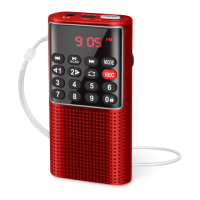
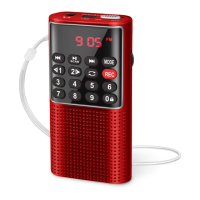
㉑TF-CARD
Step1: Insert the TF card loaded with MP3 or WMA files into <㉑
TF-CARD>.If lyrics display is neccessary for you, then you should
insert the TF card loaded with both MP3/WMA files and LRC files.
Step2: Short press <③MODE> to play the music. In the meantime, the
display will show the song information simultaneously.
1) Played by TF Card
4. Two Ways of Music Playing
Tips :
a. Short press or to select the song you want to play. Long press to
fast forward or rewind down.
b. Short press to pause or play the music.
c. You could also input the serial number of the song directly to play the
music. And short press to confirm.
d.Short press <②MENU> to set the play mode. The different word under
the icon on the screen means different. “A” means All; “1” means
Repeat One; “F” means Repeat Folder; “R” means Random.
e. Long pressing can set the MP3/WMA playback. During setup, long
pressing can back to the homepage.
f. You can also switch the MP3/WMA playing to AM/FM/SW by short
pressing <⑤AM/FM > or <④SW>. Short pressing <③MODE> can back
to MP3/WMA playing.
MP3 LRC
TF
Song Lyric


 To Next Page