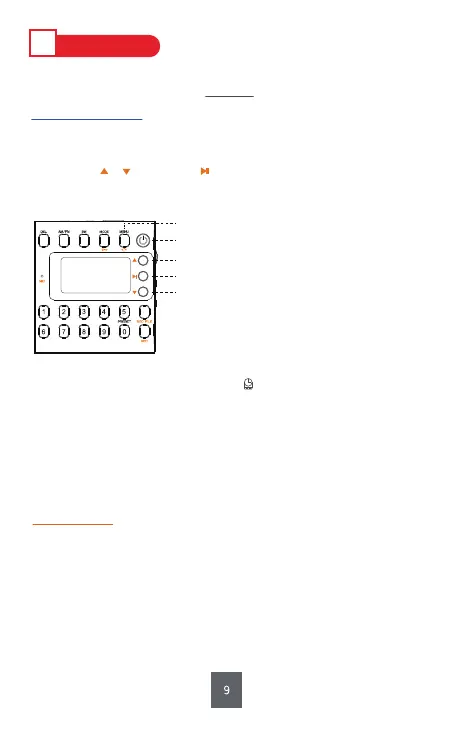
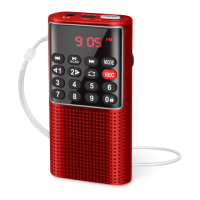
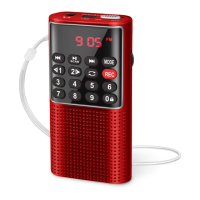
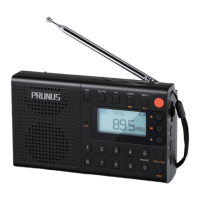
Long press <①ON/OFF> to turn the radio on.
(For convenience,please set your language first.)
Ⅳ
HOW TO USE
① Long press: ON/OFF
② Long press: Setting Interface
⑧ Confirm
⑨ Previous
⑦ Next
1. Radio Settings
1) Auto Off
Once the setting is finished, a clock icon will appear on the display,which
means the radio is counting down. Setting the time to 0 min or turning off
the radio will cancel the setting of Auto Off.
2) Contrast
Level of screen contrast: 1-15.
3) Backlight Time
Light Always, 5S , 10S , 15S , 20S, Light Off.
4) Language
简体中文(Chinese); English; 日本語(Japanese)
5) Record Set
Simple Record (64Kbs), Quality Record (96Kbs),
Super Record (128Kbs).
6) AM Stepping Set
9KHZ Stepping, 10KHZ Stepping. (Only in AM band can it be found in MENU;
In North America, the AM is 10KHz stepping, and Europe is 9KHz stepping;
The wrong AM stepping will affect the channel search. )
Step 1: Long press <②MENU> to setting interface.
(During setup, long pressing <②MENU> can back to menu homepage.)
Step 2: Press or to select, and to confirm.
(“Time and Contrast Setting” should be finished within 5s, otherwise,
the radio will back to the interface of radio listening.)


 To Next Page