Programmable Control Panel
PTN Electronics Limited 12 www.PTN-electronics.com
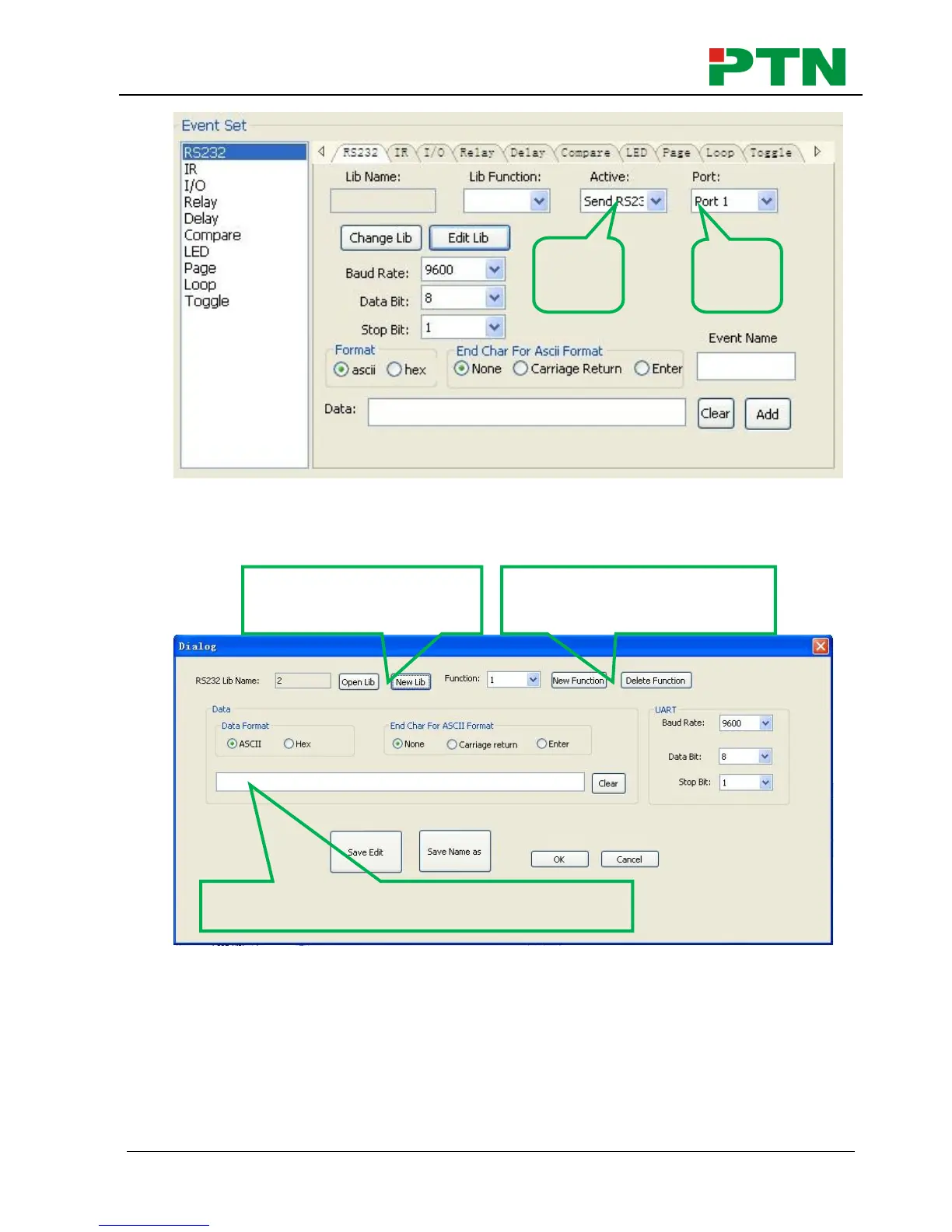
1) The data of RS232 can be directly entered or selected from library. Click “Change
Lib” to select a library file and open it. Click “Edit Lib” to create or edit a library file
as below:
Notice: When editing finish, remember to save the editing, and then press “OK”.
2) There are two send types: send once and send more times. When select “more
times”, the send times and the delay between times can be set. See in picture
below:


 To Next Page