Programmable Control Panel
PTN Electronics Limited 6 www.PTN-electronics.com
5.2 USB Driver Installation
There are USB driver file and PS-WP software in the disk. The PS-WP can run directly
without installation.
But when connect WP8 with PC by USB, it may need to install the USB driver. Use the
driver file to install the driver of USB, we can use USB to program the WP8.
5.3 Software Programming
You can use this PTN software PS-WP to easily set every button of WP8.
After connect WP8 with PC by USB or RS232, we can open the PS-WP to program the
buttons for controlling.
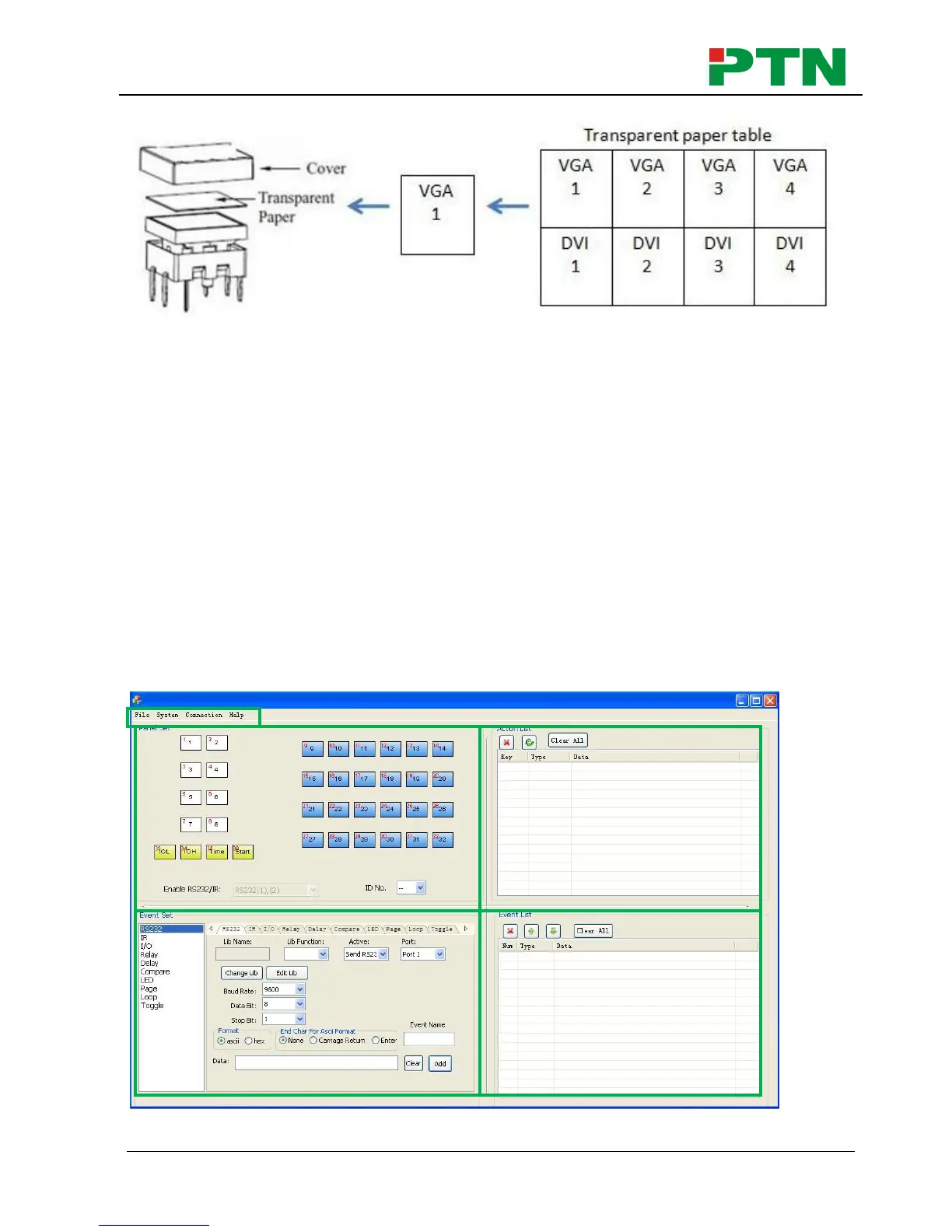
The main window of PS-WP has five parts: main menu, panel (button) setting, event
setting, action list and event list. In this manual we will take WP8-V for example, to
show the uses of all functions.
The main window of PS-WP is as below:
We will introduce all the configurations one by one.


 To Next Page