Programmable Control Panel
PTN Electronics Limited 9 www.PTN-electronics.com
5.3.2 Panel/Key setting
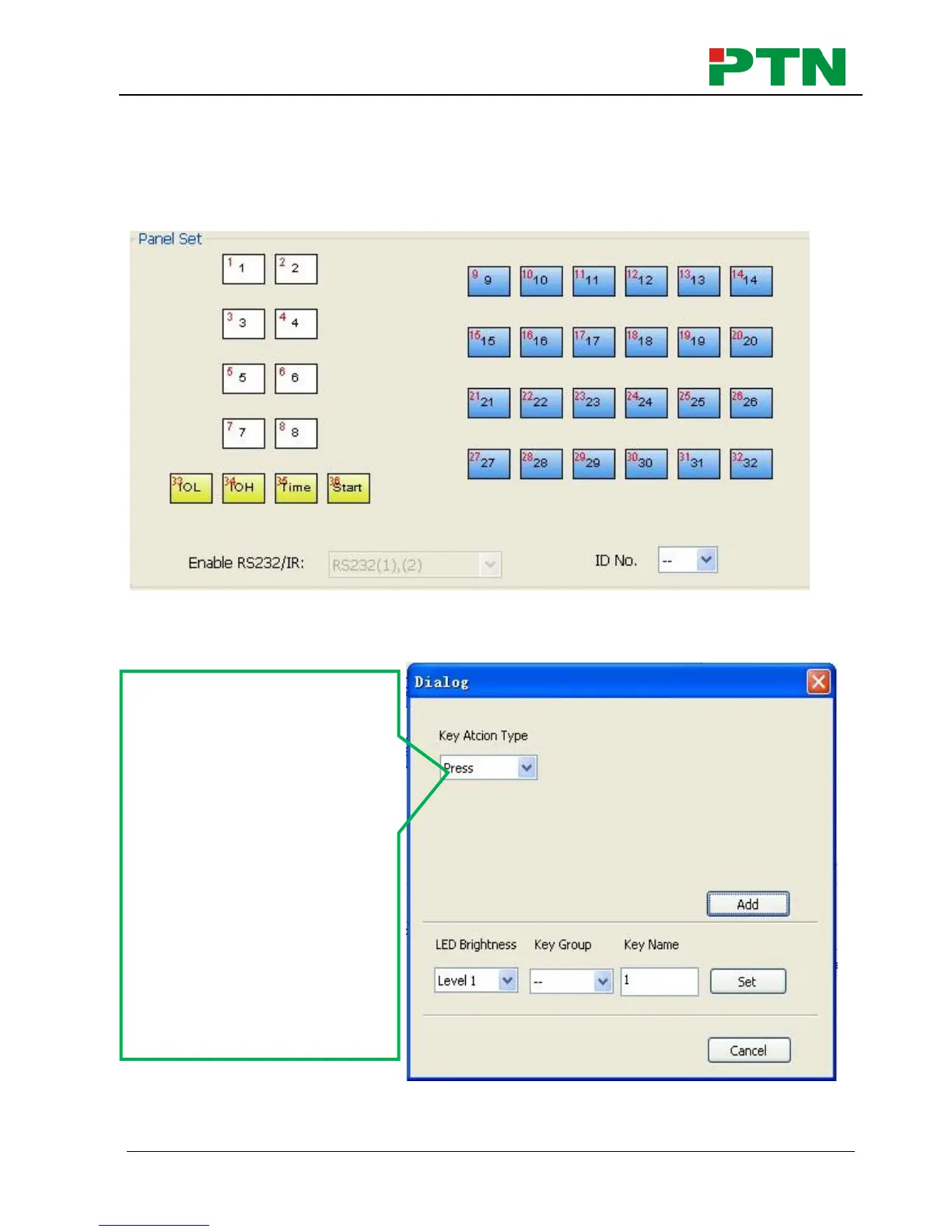
There are three different colors of keys in the panel set of PS-WP. Add a key action to
action list, then add events to this action, make this action will execute the events.
Here take WP8-V for example, to introduce the uses of different buttons:
1. White keys: keys 1-8, correspond to the buttons on WP8. Click the key, it will pop
up dialog as below:
When select the type “Toggle”, the setting interface is as below:
Key Action Type:
1. Press: Execute events
when press button.
2. Release: Execute events
when release button.
3. Page: Built-in most 4
actions, actions need to
be switched by other
buttons, press to execute.
4. Toggle: Built-in most 4
actions, actions will loop
run when press. Actions
can also be switched by
other buttons, press to
execute.


 To Next Page