Programmable Control Panel
PTN Electronics Limited 11 www.PTN-electronics.com
The time is counted from WP8 start. When come to time1, WP8 will execute the
events in time1. Then recount from time2, and then time3.
Example: Set time1 to 5 minutes, and time2 to 3 minutes, add event1 to time1 and
event2 to time2. When the unit starts, it will execute event1 after 5 minutes, and
then execute event2 after 8 minutes.
5.3.3 Action list
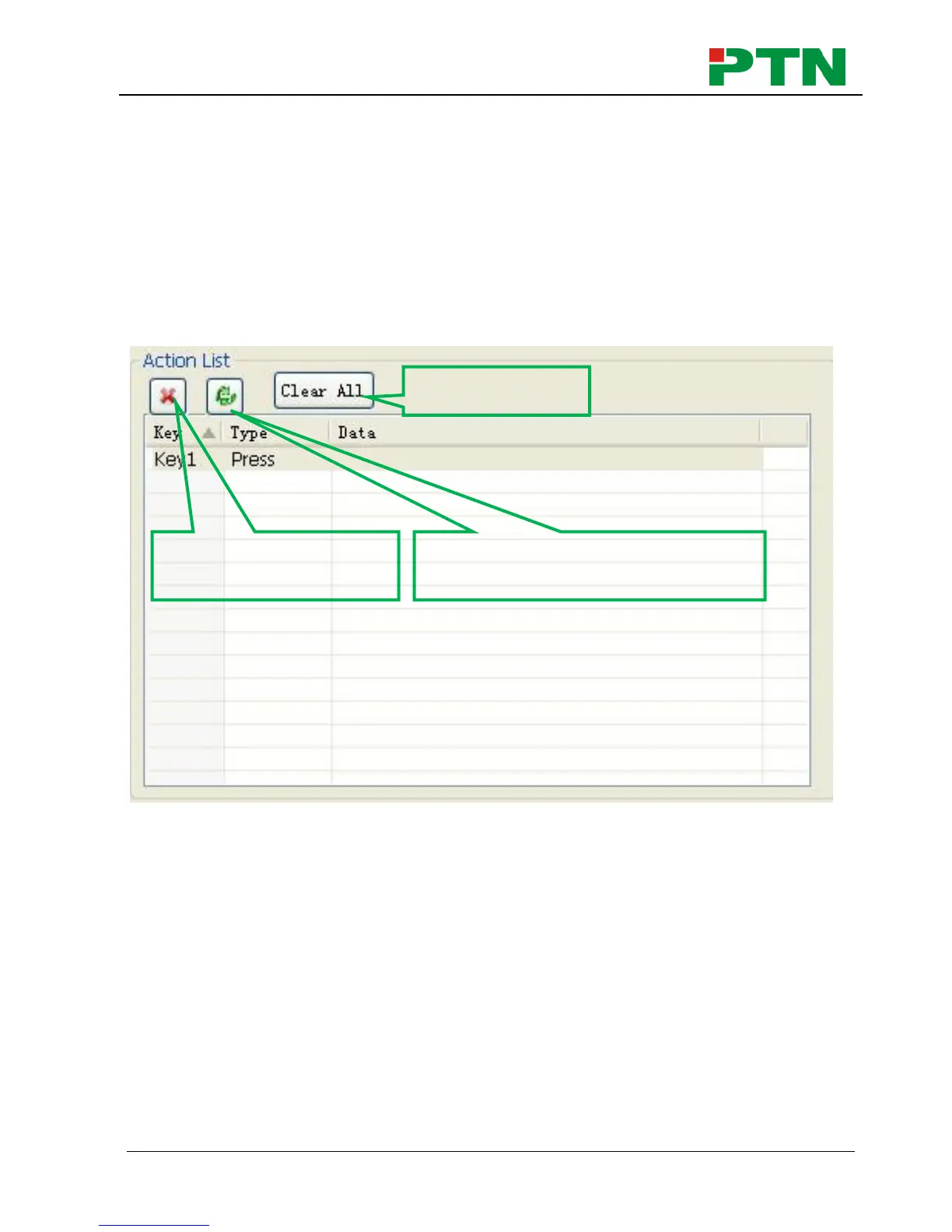
Action list shows all the set actions. An available action must be added to the list. The
action list is as the picture below:
5.3.4 Event setting
Event setting includes RS232, IR, I/O, Relay, Delay, Compare, LED, Page, Loop and
Toggle setting. Before set events, an action must be added first. The following
introduction will show you the setting of each event:
RS232 Setting
This item is used for setting the parameters of the WP8’s serial ports. Click “RS232”, it
will show as below:


 To Next Page