Programmable Control Panel
PTN Electronics Limited 5 www.PTN-electronics.com
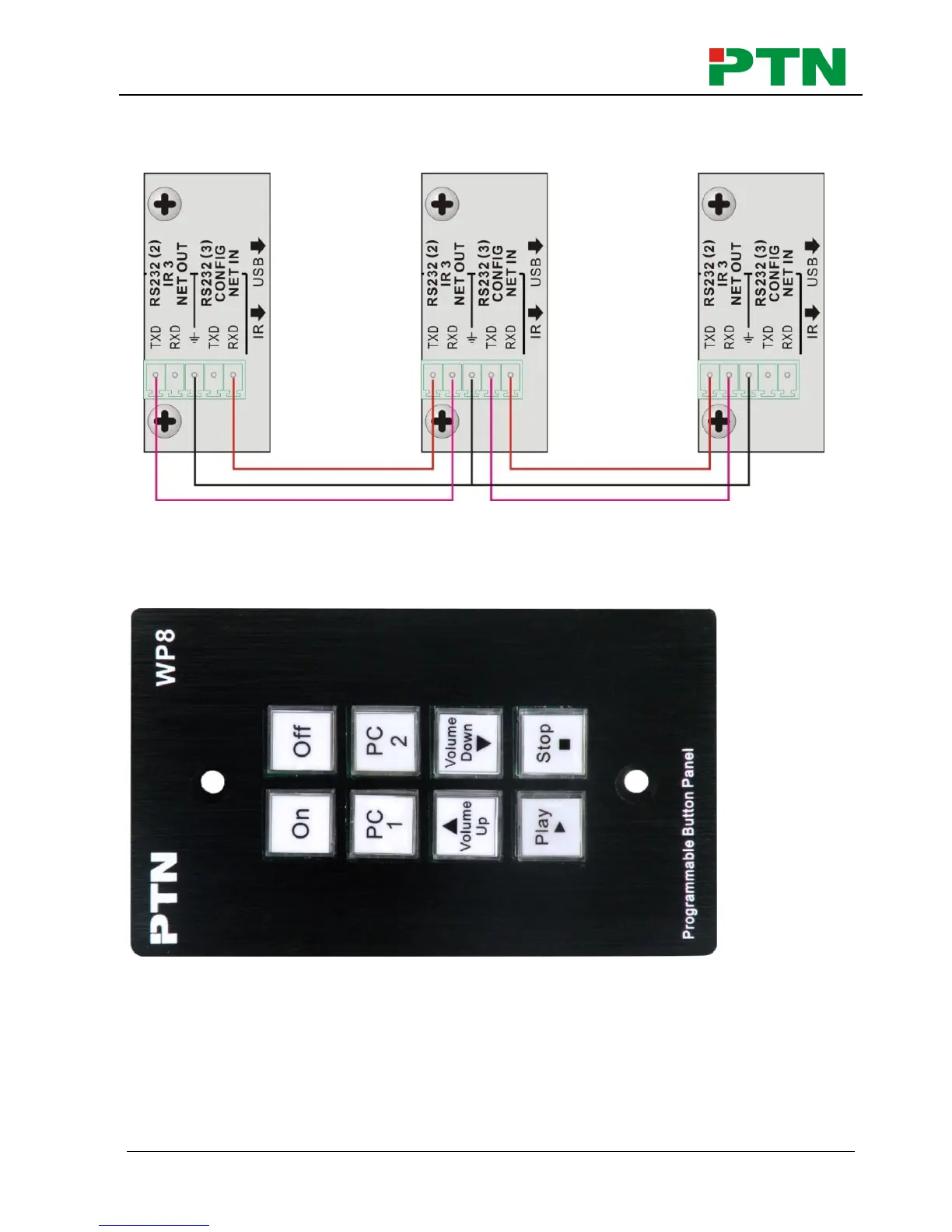
different WP8 should set to different ID. After connections finish, we can set the control
modes by PS-WP. For detailed connecting, please check the picture below:
Detailed looping connecting
5. System Operations
5.1 Introductions of the Front Panel
Crystal and luminescent, programmable buttons:
Every button can be programmable with PTN software PS-WP.
Connect the PC via USB or RS232.
And every label inside the button can be changeable. You can choose the label you
need and change it very easily like below:
(For the specific transparent paper table, please contact the local distributor or reseller
for it)


 To Next Page