Operating Manual – Description of the Device
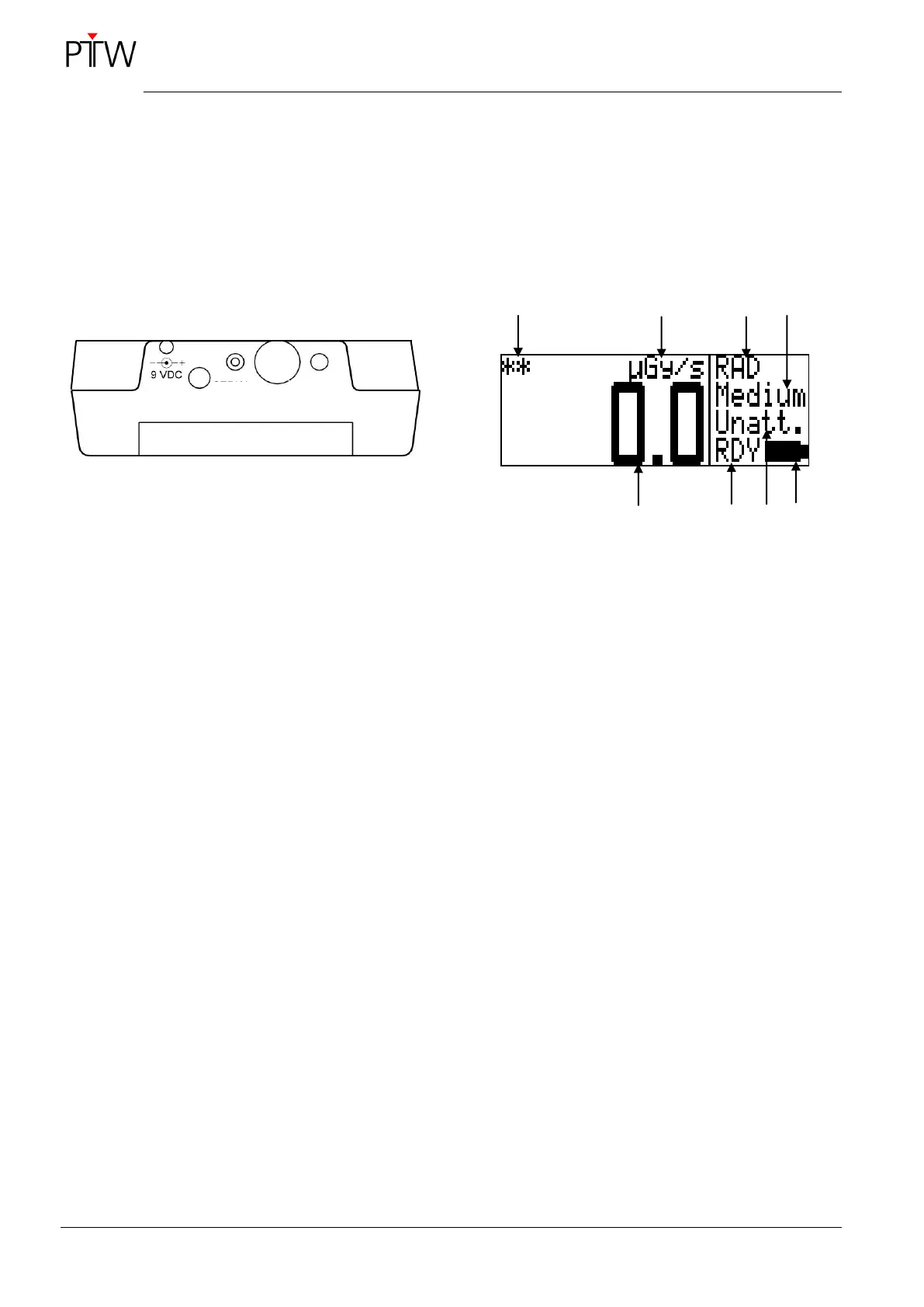
1.2 Connection Panel
DIADOS E has connectors for the power supply
(9 VDC) and for the detector (DETECTOR) and an
RS232 interface (SERIAL) (see Figure 2).
As a general rule, the connector for the detector
should be sealed with the enclosed cap when not in
use.
Figure 2: DIADOS E connection Panel
1.3 Display
While a measurement is in progress, the current
dose/dose rate is indicated in intervals of 0.5 s.
The ALT key can be pressed to toggle between the
different readouts during a measurement.
Figure 3: DIADOS E display
1 Resolution:
" " greater than 0.5 %,
"*" greater than 1 %,
"**" less than 1 %
2 Unit C, Gy or R; displayed in reverse video in
pulsed mode
3 Application:
RAD – convential radiology,
DENT – dental application,
CT – CT application or
MamX/X – mammography
(MamM/M, MamM/R, MamW/A,
MamW/R, MamR/R, MamWAg)
4 Measuring range: Low, Med, High or Auto
5 Measuring value
6 Measurement status:
RDY – ready to take a measurement,
RUN – measurement in progress,
STA – measurement started with START/STOP,
STP – measurement stopped with
START/STOP,
TST – measurement stopped by timer
7 Filter:
"Unatt." (without additional filtration) or
"Att. " (with additional filtration)
8 Battery status: full/depleted


 To Next Page