EasyManua.ls Logo

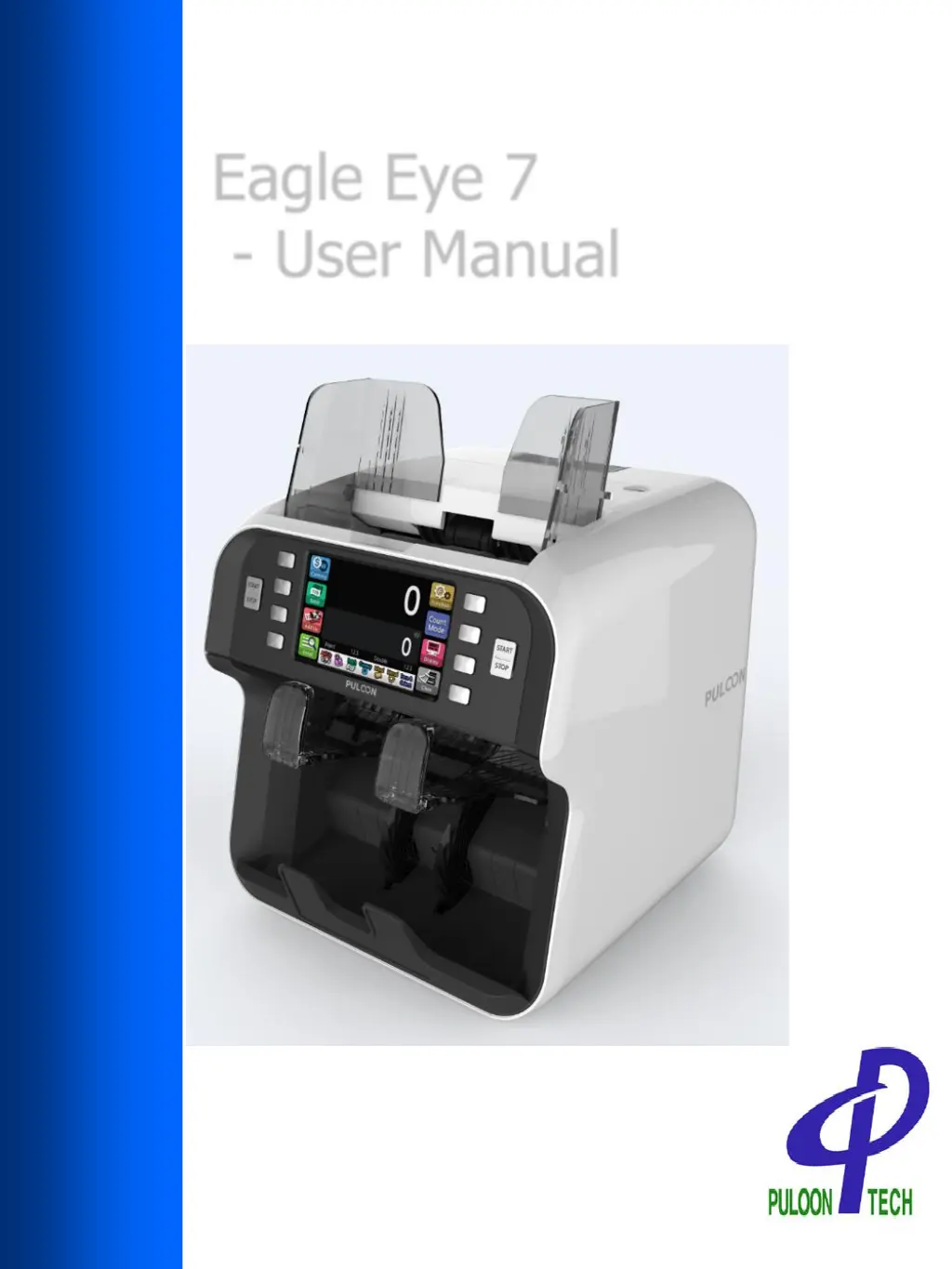
Puloon Eagle Eye 7 - User Manual

Puloon Eagle Eye 7
64 pages
Print Icon
To Next Page IconTo Next Page
Loading...
Eagle Eye 7
- User Manual
REV. : 0.14
DATE : 2019.02.12

Questions and Answers

  • T
    Thomas HansonAug 14, 2025
    What to do if the Puloon Banknote Counter shows a communication error?
    • A
      Amanda WilsonAug 14, 2025
      If your Puloon Banknote Counter displays a communication error, try turning the power switch off and then on again. If the error persists, it may require professional attention.
  • S
    Samantha CollinsAug 17, 2025
    What to do if Puloon Eagle Eye 7 is miscounting?
    • J
      John WatsonAug 17, 2025
      If your Puloon Banknote Counter is miscounting, the count may mismatch. Please, count the banknotes again.
  • T
    Thomas VargasAug 21, 2025
    How to fix Initial Inlet Sensor Fail on Puloon Banknote Counter?
    • M
      Melissa PorterAug 21, 2025
      To address an Initial Inlet Sensor Fail on your Puloon Banknote Counter: * Open the cover. * Check and clean the sensors with a cloth.
  • M
    Michael ConleyAug 25, 2025
    What to do for Initial Stack Sensor Fail on Puloon Eagle Eye 7?
    • M
      Ms. Janet SalinasAug 25, 2025
      To address an Initial Stack Sensor Fail on your Puloon Banknote Counter: * Remove the banknotes from the stacker. * Check the stack sensor.
  • C
    christopher36Aug 27, 2025
    What to do if Puloon Banknote Counter shows Initial Reject Sensor Fail?
    • B
      Brittany JohnsonAug 27, 2025
      To address an Initial Reject Sensor Fail on your Puloon Banknote Counter: * Remove the banknotes from the reject pocket. * Check the reject sensor.
  • T
    Terry HerreraAug 31, 2025
    How to fix Initial Diverter Sensor Fail on Puloon Eagle Eye 7?
    • E
      erinkingAug 31, 2025
      To fix an Initial Diverter Sensor Fail on your Puloon Banknote Counter, check and clean the diverter and diverter end sensors with a cloth.
  • C
    Casey NelsonSep 3, 2025
    How to solve Initial Check R Sensors Fail in Puloon Eagle Eye 7 Banknote Counter?
    • M
      millerlaurieSep 3, 2025
      To solve the Initial Check R Sensors Fail in your Puloon Banknote Counter, check and clean the check sensors with a cloth.
  • L
    Leslie ReyesSep 6, 2025
    What to do if Puloon Eagle Eye 7 Pickup Fail?
    • J
      Joseph VargasSep 6, 2025
      If your Puloon Banknote Counter showing Pickup Fail, clean the pickup sensor and rubber.
  • C
    Craig RichardsonSep 10, 2025
    What to do if the guide is open on Puloon Eagle Eye 7?
    • A
      Alex Lang MDSep 10, 2025
      If the guide is open on your Puloon Banknote Counter, close the upper cover.

Summary

Safety Instructions

General Instructions

Safety precautions for general use of the product, covering placement and handling.

Installation Guide

Installation

Guidance on proper installation procedures for the product, including location considerations.

Operation

Currency Selection

Guide to selecting the desired currency for counting and evaluation.

Function & Setting

How to set the function

Steps to enter and select functions for the machine using the control panel.

Setting

Procedures for changing various settings of the machine, including language and beep.

Count Mode

How to Select a Count Mode

Step-by-step guide to selecting a counting mode for the machine.

Daily Maintenance

Maintenance Method

Table outlining maintenance tasks, cycles, and remarks for the machine.

Hopper Guide Installation

Information and steps for installing and removing hopper guides.

Error & Trouble Shooting

When Errors Occur

How to identify and resolve errors displayed on the LCD.

Error Code List

A comprehensive list of error codes and their troubleshooting methods.

Puloon Eagle Eye 7 Specifications

General IconGeneral
Stacker Capacity200 notes
DisplayLCD
Noise Level≤ 60dB
Counting Speed1, 000 notes/min
Detection MethodUV, MG, IR
Power SupplyAC 100-240V, 50/60Hz
Operating Humidity20% to 80%

Related product manuals