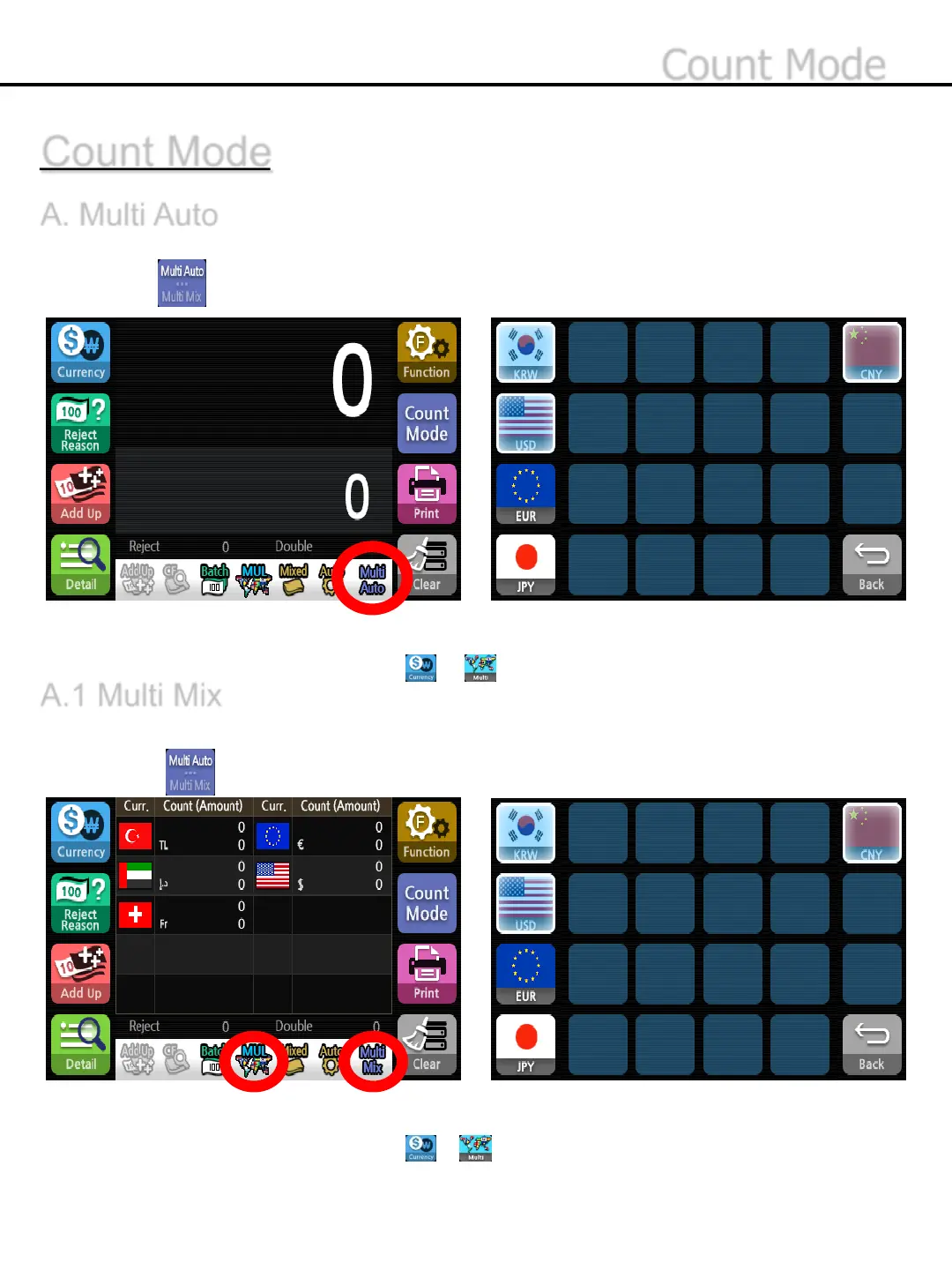
Count the selected multiple currencies and show the results for each of currencies.
1) Press button to chose Multi Mix Mode.
*Multi Mix will be displayed at the status band
* Single/Mix function is set as Mix at the mode of Multi Mix
*The available currencies are chosen at - up to 10.
A.1 Multi Mix
*Multi Auto will be displayed at the status band.
*Single/Mix function is set as Mix at the mode of Multi Auto.
*The available currencies are chosen at - up to 10.
Count Mode
A. Multi Auto
Count the first detected currency and display the result .
1) Press button to chose Multi Auto Mode.
-40-
Count Mode


 To Next Page