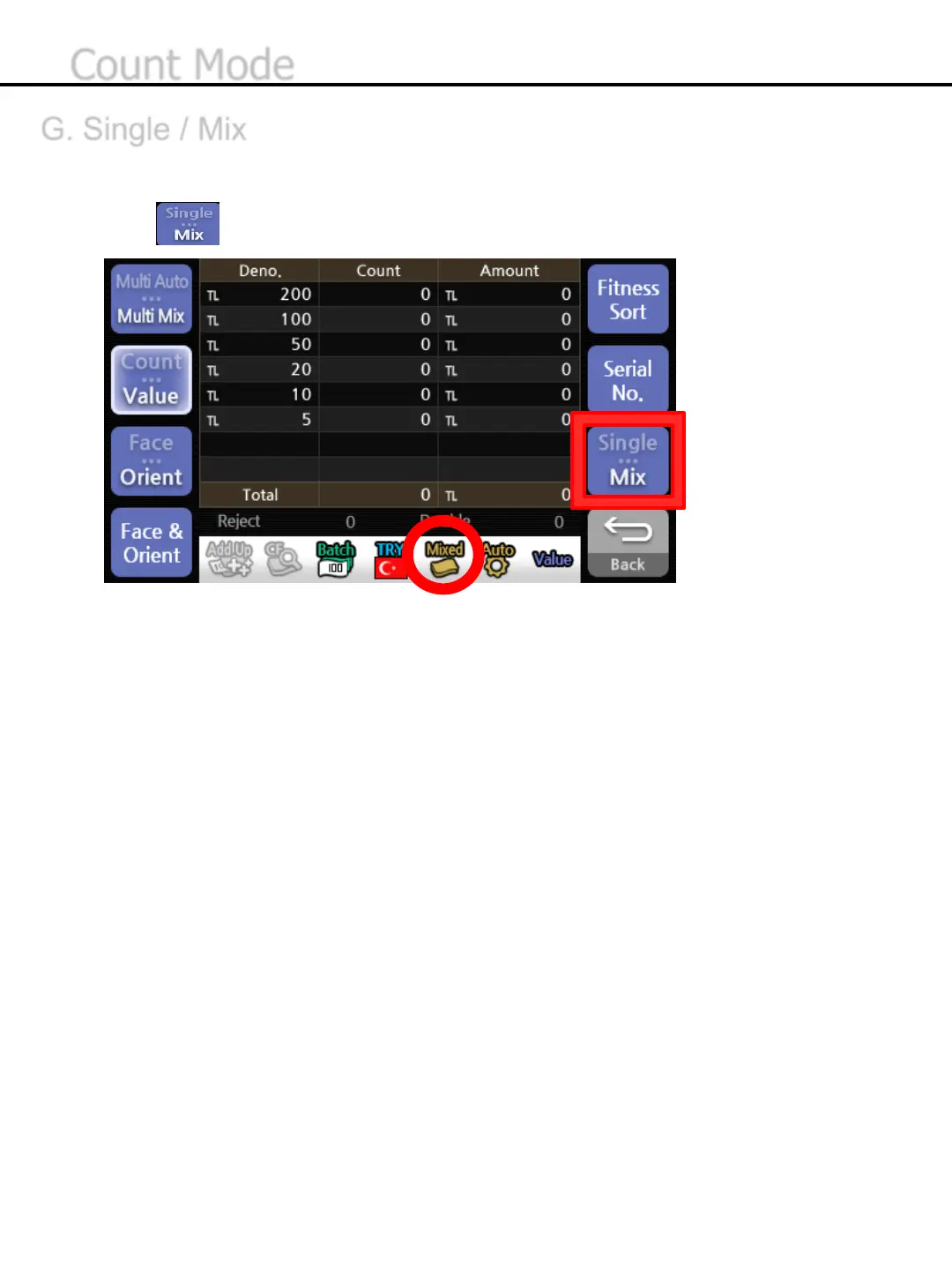
* Single or Mix Mode will be displayed at the status band.
* In case of Multi Auto/Mix mode, the count mode switches to Mix automatically.
-45-
G. Single / Mix
Single mode is to count a specific denomination of banknote which is detected first and send others to the
reject pocket. Mix Mode is to count all of the denominations if it’s the same currency.
1) Press button to chose Single or Mix.
Count Mode


 To Next Page