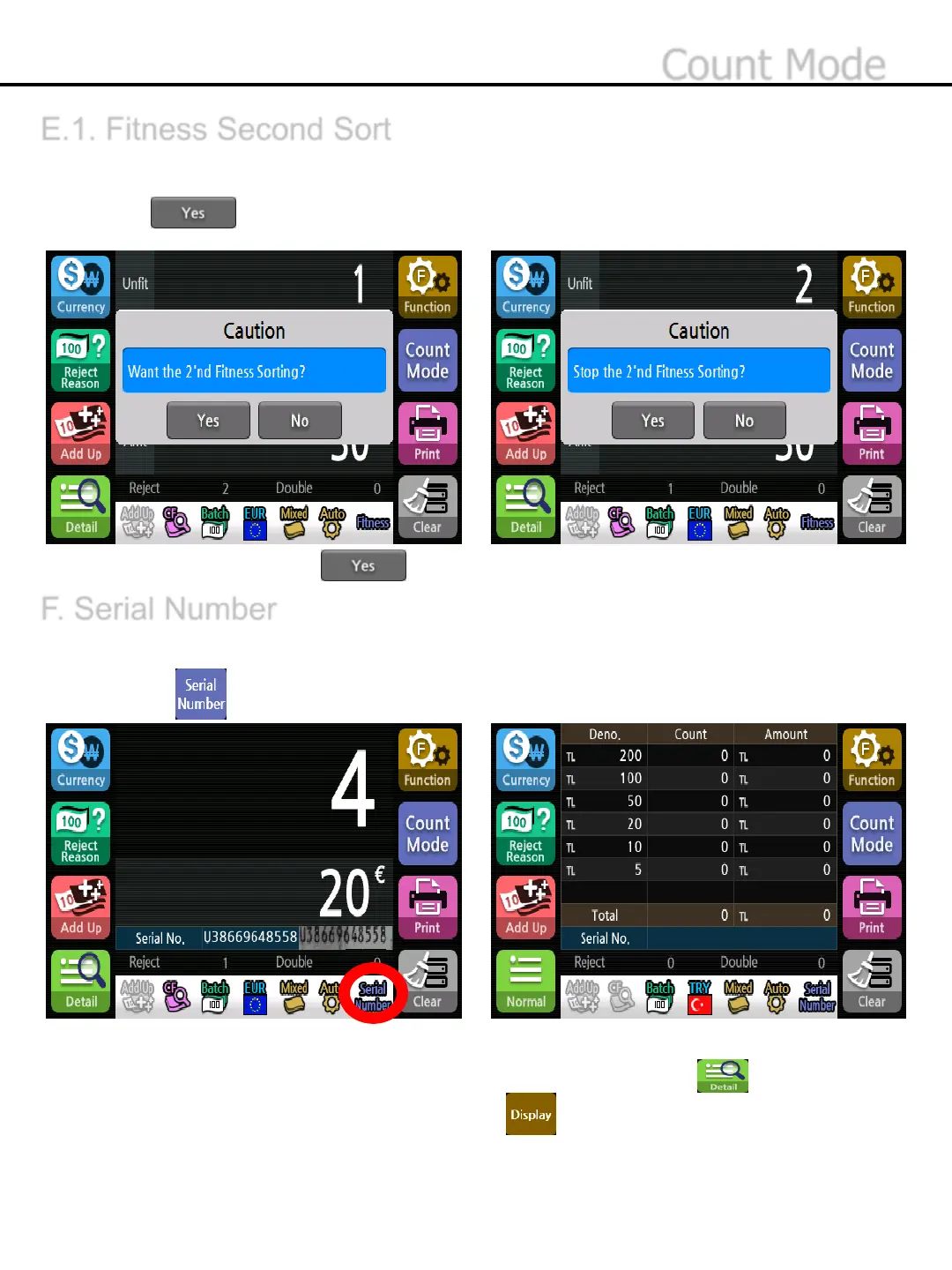
E.1. Fitness Second Sort
F. Serial Number
If Counterfeit notes are detected at fitness mode, Second Sort Mode will get started automatically.
1)Press button to Run Second Sorting function at the pop-up window.
2)Remove the banknotes at Stacker & Reject Pocket and place the banknotes at the hopper again.
*To Stop Second Sorting, Press at the pop-up window.
To recognize the series numbers of the banknote and shows the result on the display.
1)Press button to select Serial Number mode.
* Serial Number Mode will be displayed at the status band.
* To check the denomination and the serial number of the last banknote, press button.
* To check the Serial number information, make use of button.
* The speed of Serial number recognition is fixed at 800 notes/min.
-44-
Count Mode


 To Next Page