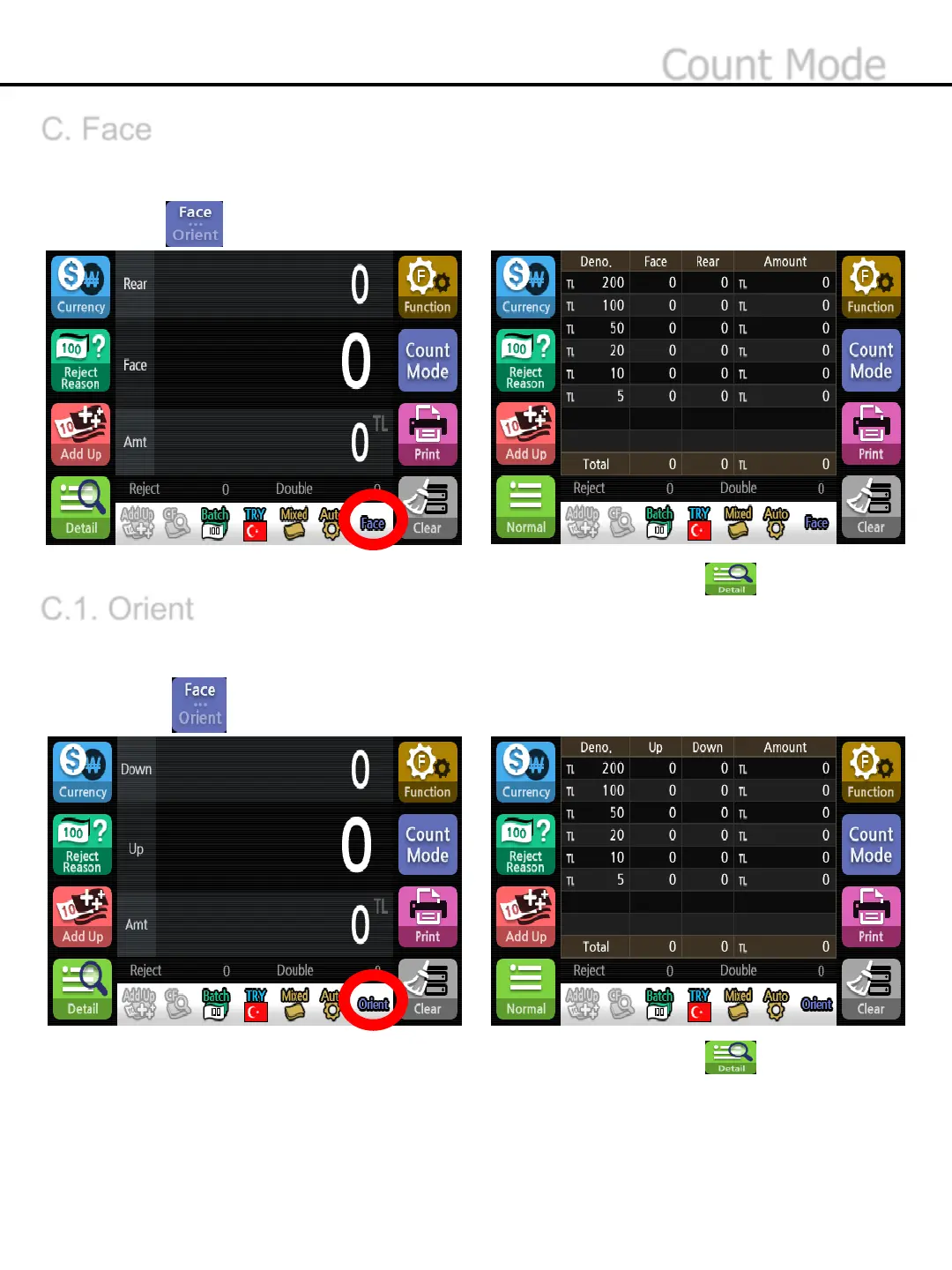
To scan the first banknote and place all other notes of the same side( face/back) in the stacker. Any other
banknotes in the different side will go to the reject pocket.
1)Press button to select face mode.
C.1. Orient
To scan the first banknote and place all other notes in the same direction ( up/down) in the stacker. Any
other banknotes in the different side will go to the reject pocket .
1)Press button to select orient mode.
* Face Mode will be displayed at the status band.
* To check the banknote numbers for each denominations and total value,, press button
* Orient Mode will be displayed at the status band.
* To check the banknote numbers for each denominations and total value, press button.
-42-
C. Face
Count Mode


 To Next Page