Currency Selection
Selection of Currency for Counting
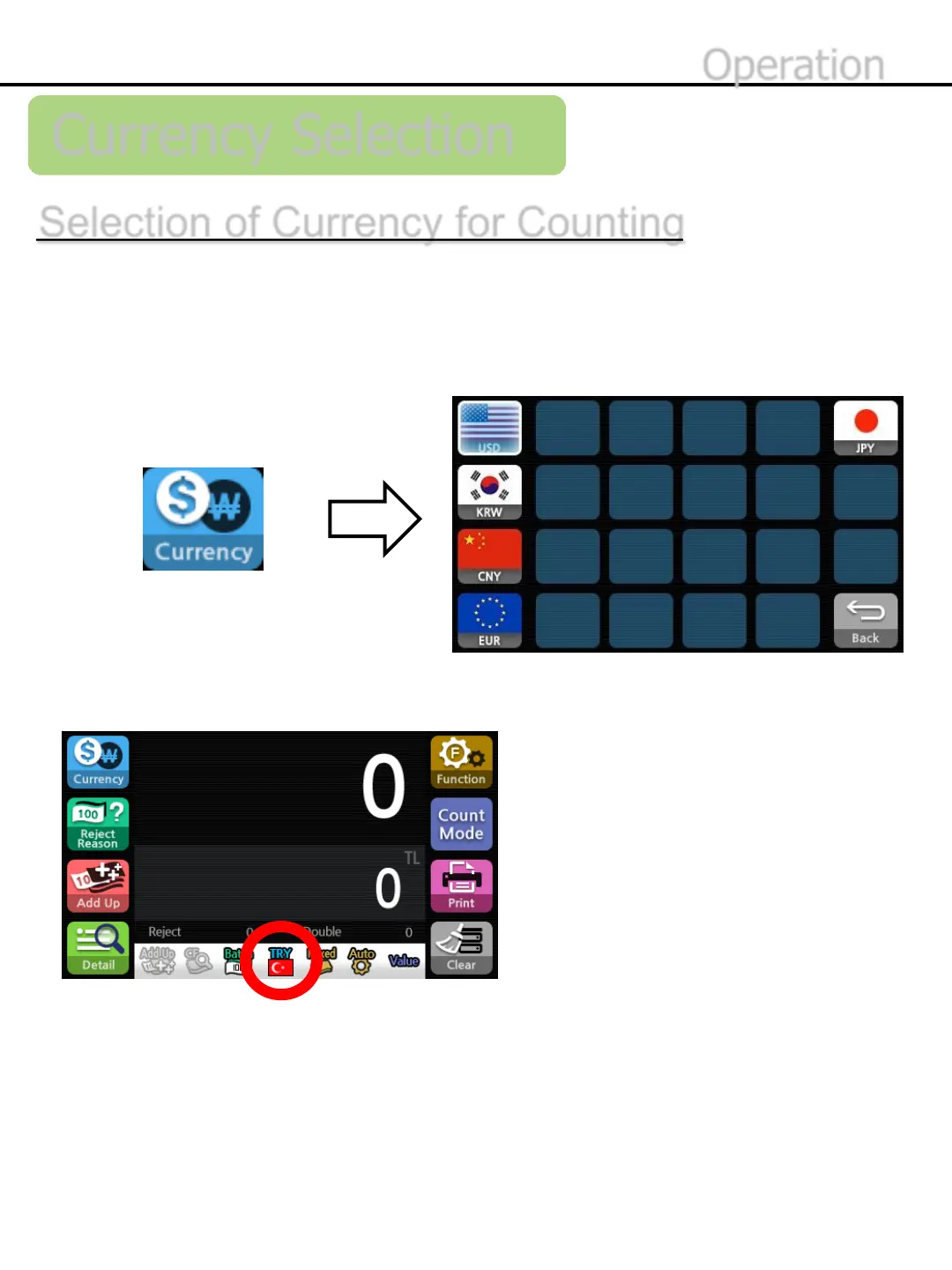
*The currency name and icon will be shown in the Status Band to indicate the selected currency
*Multi-Currency mode is available when selecting Multi auto or Multi mix in the Count Mode menu.
*Refer to page 40 to operate Multi-Currency mode.
Operation
-15-
2)Press national symbol to select currency.
A range of currencies registered within the EE7 firmware is displayed and
the selected currency will be counted and evaluated.
1)Press the button below to enter the currency selection menu.


 To Next Page